Synology Surveillance Architect (SIT4)
Networking, Synology
Synology Surveillance Architect is an intensive two-day course focused on configuring video surveillance for both small installations and large-scale projects with centralized management. Participants also learn about camera and network planning, stream optimization, advanced camera features, intelligent video analytics, and permission management.
The course is delivered online, allowing participants to attend remotely from anywhere. The training combines theoretical instruction with practical exercises using camera systems, providing an interactive learning experience with a strong focus on hands-on skills. Topics include, among others, integration with point-of-sale, access control, and building management systems, configuration backup, high availability, and troubleshooting. The course is intended for groups of 6–12 participants.
THIS TRAINING COURSE WILL HELP YOU:
- Understand system design, clients, and camera integration
- Configure surveillance layouts and e-maps
- Optimize streams for live viewing and recording
- Use advanced camera features and event detection
- Learn about Deep Learning NVR features and intelligent video analytics
- Work with recording search, time-lapse, and archiving
- Configure centralized management, configuration backup, and high availability
- Manage access rights and integrate surveillance solutions with other systems
WHO SHOULD ATTEND?
- Video surveillance system administrators
- Network administrators
- Camera system designers
- Security and building technology integrators
- Personnel responsible for centralized surveillance management
COURSE LOCATION AND AVAILABLE DATES
Filter dates:
DateLocationFormat
LanguagePrice
BrnoBrno (hybrid)
Hybrid
This session takes place simultaneously in the classroom and online. You can choose your preferred way to attend during registration.
Czech
340 € 411 € incl. VAT
BrnoBrno (hybrid)
Hybrid
This session takes place simultaneously in the classroom and online. You can choose your preferred way to attend during registration.
Czech
340 € 411 € incl. VAT
Need this course in English?
Public courses are usually delivered in Czech, but this course is also available in English. We can arrange private training for your team online, at your premises or in our classrooms, and tailor the content to your needs.
For groups of around 4 or more participants, private training can already be comparable in price to booking individual places on a public course. Send us your requirements and we’ll recommend the best format and provide an exact quote.
Request training in English
Course content:
Hide details
-
Fundamentals and Introduction
-
Key Features
-
System Design and Clients
-
Camera Integration
-
Layout and E-Map Management
-
Performance Optimization
-
Codecs, Latency, Transmission Protocols, etc.
-
Optimize Stream Settings for Live Viewing
-
Optimize Stream Settings for Recording
-
Share Video Streams
-
Advanced Camera Features
-
Event Detection (Motion, PIR Sensors, ACAP, etc.)
-
Fisheye Dewarping
-
Edge Recording
-
Additional Features (PTZ, Two-Way Audio, Corridor Format, etc.)
-
Deep Learning NVR – Intelligent Video Surveillance
-
Fundamentals and Key Features
-
Facial Recognition
-
People and Vehicle Detection
-
People Counting
-
Intrusion Detection
-
Advanced Search Tools
-
Time Trimming, Smart Search, Recording Tagging, etc.
-
Smart Time-Lapse
-
Archive Vault
-
Additional Surveillance Features
-
Alert Window in Live View
-
Configure Action Rules
-
Flexible Surveillance Scenarios with Home Mode
-
Retail and Hospitality Solutions
-
Point-of-Sale System Integration
-
IP Audio Integration
-
Efficient Configuration for Larger Projects
-
Configuration Backup Using Hyper Backup
-
Camera Configuration Import/Export
-
Centralized Management
-
High-Availability and Failover Scenarios
-
Practical Permission Management
-
Access Control Using Permission Profiles
-
Four-Eyes Principle (Dual Authorization)
-
Active Directory Integration
-
Smart Home and Building Technology Integration
-
I/O Module
-
Video Intercom Systems
-
Access Control Systems
-
Frequently Asked Questions and Troubleshooting
-
Frequently Asked Questions
-
Troubleshooting Notes
-
Recommended follow-up course:
-
Synology ActiveProtect Architect (SIT5)
-
Schedule:
-
2 days (9:00-17:00)
-
Price per person:
-
340.00 € ( 411.40 € incl. 21% VAT)
Training and learning environment
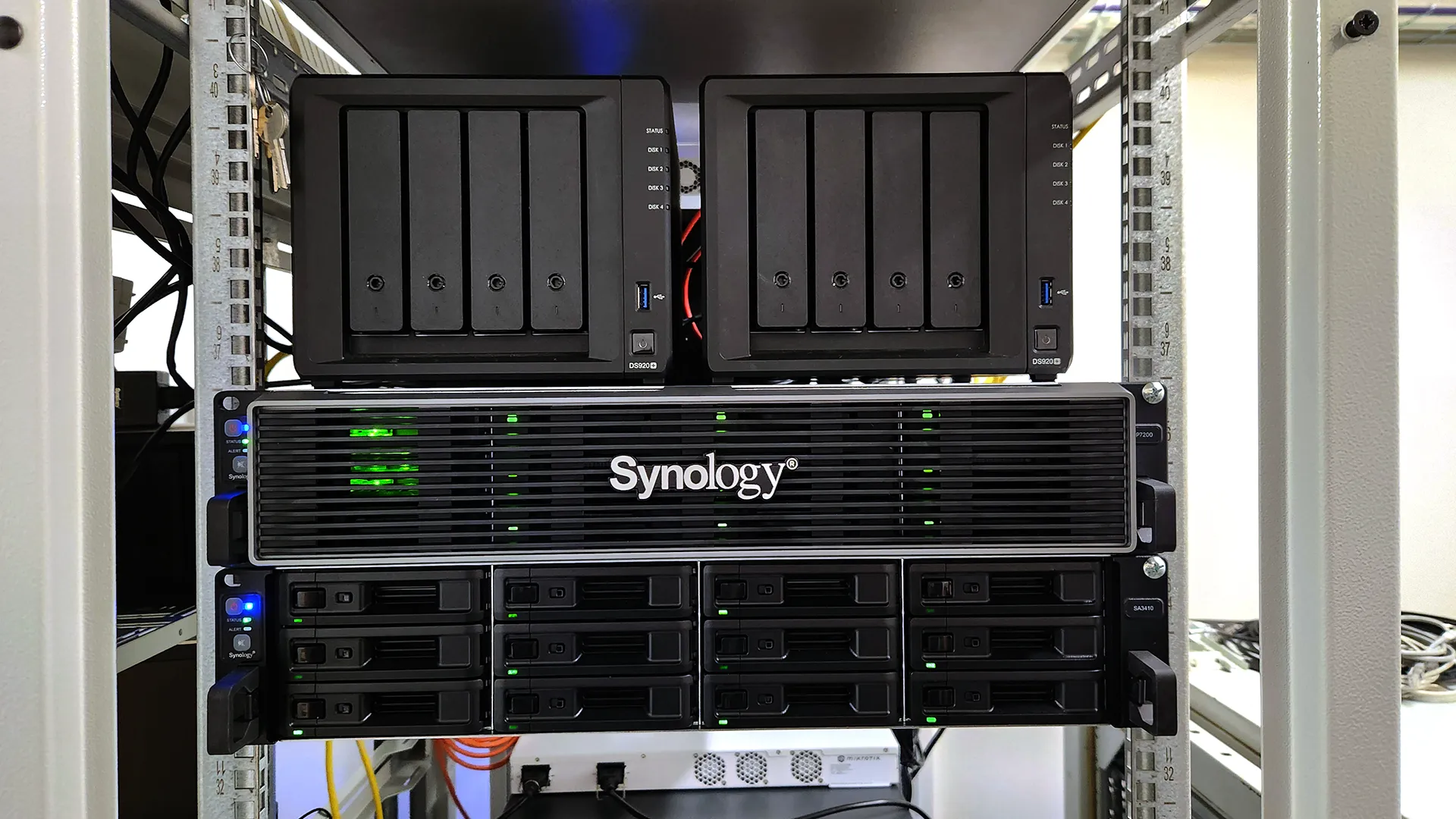 Synology ActiveProtect Architect LabA preview of the Synology lab designed for SIT certification training focused on ActiveProtect Architect.
 Synology DSM and Backup Architect LabA preview of the Synology lab designed for SIT certification training focused on DSM and Backup Architect.
 Synology ActiveProtect Architect LabA preview of the Synology lab designed for SIT certification training focused on ActiveProtect Architect.
 Synology DSM and Backup Architect LabA preview of the Synology lab designed for SIT certification training focused on DSM and Backup Architect.
 Synology Surveillance Architect LabA preview of the Synology lab designed for SIT certification training focused on Surveillance Architect.
 Synology Surveillance Architect LabA preview of the Synology lab designed for SIT certification training focused on Surveillance Architect.
 Photo from the Synology training sessionSynology in-person training sessions are held in our fully equipped, modern IT classrooms in Brno.
 Photo from the Synology training sessionSynology in-person training sessions are held in our fully equipped, modern IT classrooms in Brno.
 Photo from the Synology training sessionSynology in-person training sessions are held in our fully equipped, modern IT classrooms in Brno.
 Photo from the Synology training sessionSynology in-person training sessions are held in our fully equipped, modern IT classrooms in Brno.
 Photo from the Synology training sessionSynology in-person training sessions are held in our fully equipped, modern IT classrooms in Brno.
 Photo from the Synology training sessionSynology in-person training sessions are held in our fully equipped, modern IT classrooms in Brno.
 What does the environment for in-person IT courses look like?We hold training courses in our own classrooms equipped with modern computer equipment for each participant and a large projection screen. Each workstation is fitted with a powerful computer for seamless practical exercises, and the environment supports a calm, friendly atmosphere during training.
 Do I need to bring my own laptop to the classroom IT course?Our training rooms are fully equipped, so you do not need to bring your own laptop. A modern computer with all necessary hardware and software is ready for you at your workstation.
 Will you receive an official certificate after completing an IT course?Yes, upon successful completion of the training course, you will receive an official ICT Pro certificate confirming your participation and acquired technical skills. You can use it to verify your qualifications or add it to your professional profile.
 Where can you find our training center in Brno?The premises of the ICT Pro training center are located on the 1st floor of the COMGUARD building at Sochorova 38 in Brno. Positioned on the border of Žabovřesky and Komín, the location is easily accessible by both car and public transport.
 Where can you find our training center in Prague?The premises of the ICT Pro training center are located on the 1st floor of the Opatov Park building at Líbalova 1, Prague 11 – Chodov. The location provides a comfortable environment for your education with convenient access.
 What facilities and refreshments are available to you during training breaks?Our training centers feature a fully equipped kitchenette for a comfortable break during your courses. The facilities include a coffee machine, microwave, kettle, and a wide selection of drinks and snacks.
 What beverage refreshments are available during your course?A beverage station with a coffee machine, teas, syrups, and water is at your disposal throughout the entire training session. You can enjoy a coffee or another drink of your choice anytime during breaks.
 What light refreshments are provided for you during the courses?During course breaks, participants can enjoy light sweet snacks, pastries, and fruit syrups to mix their own drinks. Fresh water dispenser and plates are also available for your convenience.
 Should I bring my own snacks to ICT Pro training?There is no need to. A wide selection of savory snacks, sweet biscuits, and snack bars is available for you during breaks. Boost your energy for all-day focus right inside the training center premises.
 Can you spend training breaks in the fresh air?Yes, an outdoor terrace is available at our training center. During breaks between learning sessions, you can relax in the fresh air in a pleasant green environment.
 Where can you relax during course breaks?Our training center features a spacious outdoor terrace with seating options. During breaks between learning sessions, you can step outside to relax and recharge in the fresh air.