Adobe Express – digital branding & graphic production (ADE)
Graphics, Adobe
Hands-on training to master Adobe Express for fast creation of graphics for social media, web and print and presentations without learning complex design software. Practice templates, workflows, AI tools and project export so outputs are ready to use immediately.
During the course you'll use Adobe Firefly and other AI tools to speed up image generation and edits, learn brand kit and shared libraries, and practice project collaboration and export settings so you can deliver consistent, platform-optimized assets.
THIS TRAINING COURSE WILL HELP YOU:
- Create professional graphics without complex design software
- Speed up content creation for social, web and internal comms
- Use templates and adapt them to your brand identity
- Use AI tools for image generation and quick edits
- Produce simple videos and animations for online use
WHO SHOULD ATTEND?
- Marketing professionals who need quick visual content
- Administrative staff preparing presentations and materials
- Managers wanting control of their team's visual output
- Small business owners and freelancers making their own graphics
- Teachers and trainers creating educational visuals
COURSE LOCATION AND AVAILABLE DATES
Contact us
Need this course in English?
Public courses are usually delivered in Czech, but this course is also available in English. We can arrange private training for your team online, at your premises or in our classrooms, and tailor the content to your needs.
For groups of around 4 or more participants, private training can already be comparable in price to booking individual places on a public course. Send us your requirements and we’ll recommend the best format and provide an exact quote.
Request training in English
-
Prerequisites:
-
Basic computer and web‑browser skills; familiarity with a graphic program or online editor is an advantage.
-
Schedule:
-
1 day (9:00-17:00)
-
Price per person:
-
236.00 € ( 285.56 € incl. 21% VAT)
Training and learning environment
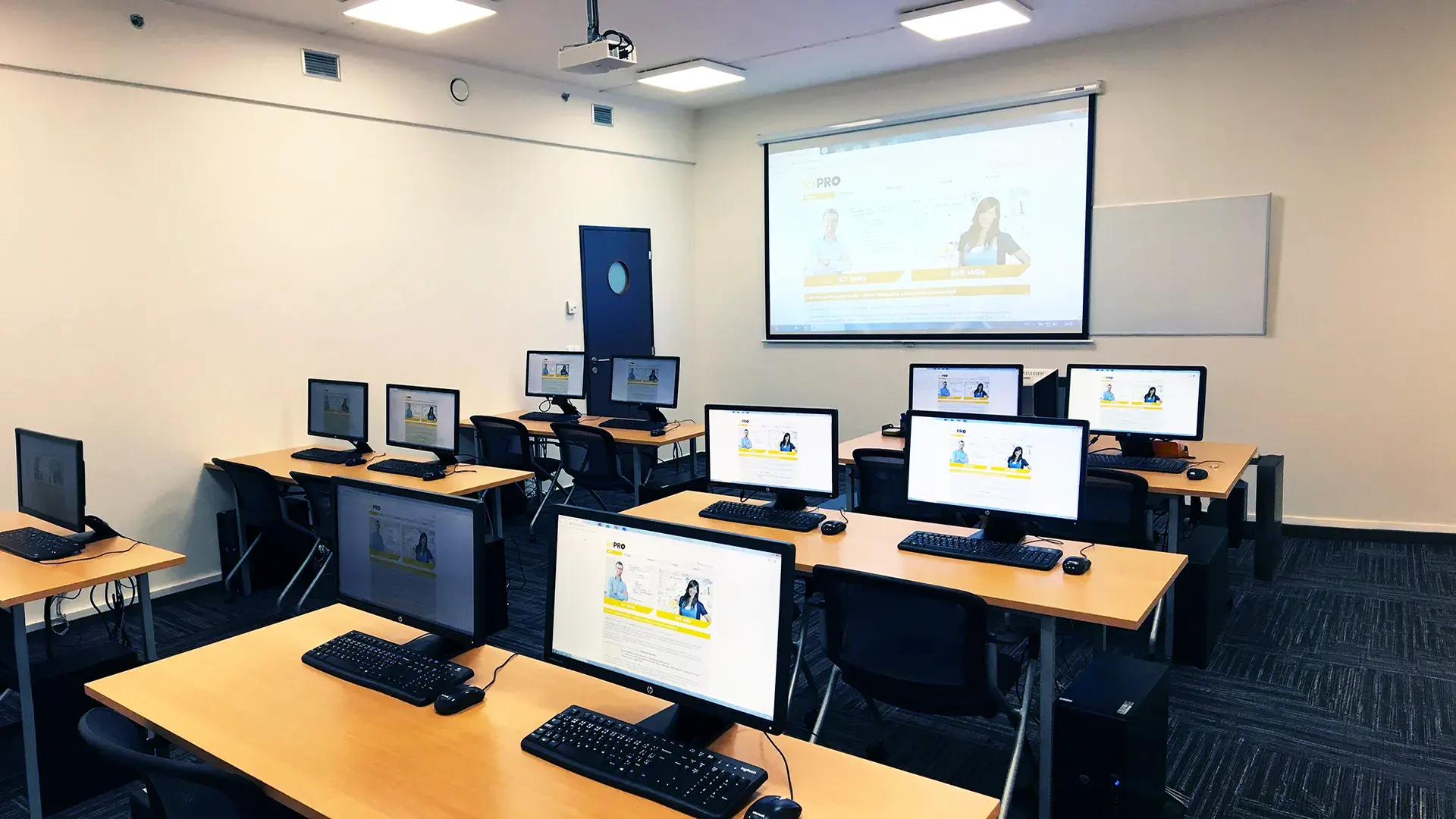 What does the environment for in-person IT courses look like?We hold training courses in our own classrooms equipped with modern computer equipment for each participant and a large projection screen. Each workstation is fitted with a powerful computer for seamless practical exercises, and the environment supports a calm, friendly atmosphere during training.
 Do I need to bring my own laptop to the classroom IT course?Our training rooms are fully equipped, so you do not need to bring your own laptop. A modern computer with all necessary hardware and software is ready for you at your workstation.
 Will you receive an official certificate after completing an IT course?Yes, upon successful completion of the training course, you will receive an official ICT Pro certificate confirming your participation and acquired technical skills. You can use it to verify your qualifications or add it to your professional profile.
 Where can you find our training center in Brno?The premises of the ICT Pro training center are located on the 1st floor of the COMGUARD building at Sochorova 38 in Brno. Positioned on the border of Žabovřesky and Komín, the location is easily accessible by both car and public transport.
 Where can you find our training center in Prague?The premises of the ICT Pro training center are located on the 1st floor of the Opatov Park building at Líbalova 1, Prague 11 – Chodov. The location provides a comfortable environment for your education with convenient access.
 What facilities and refreshments are available to you during training breaks?Our training centers feature a fully equipped kitchenette for a comfortable break during your courses. The facilities include a coffee machine, microwave, kettle, and a wide selection of drinks and snacks.
 What beverage refreshments are available during your course?A beverage station with a coffee machine, teas, syrups, and water is at your disposal throughout the entire training session. You can enjoy a coffee or another drink of your choice anytime during breaks.
 What light refreshments are provided for you during the courses?During course breaks, participants can enjoy light sweet snacks, pastries, and fruit syrups to mix their own drinks. Fresh water dispenser and plates are also available for your convenience.
 Should I bring my own snacks to ICT Pro training?There is no need to. A wide selection of savory snacks, sweet biscuits, and snack bars is available for you during breaks. Boost your energy for all-day focus right inside the training center premises.
 Can you spend training breaks in the fresh air?Yes, an outdoor terrace is available at our training center. During breaks between learning sessions, you can relax in the fresh air in a pleasant green environment.
 Where can you relax during course breaks?Our training center features a spacious outdoor terrace with seating options. During breaks between learning sessions, you can step outside to relax and recharge in the fresh air.