Advanced Copilot Studio – two agent environments, multi-agent systems and operations (AICS2) (AICS2)
Microsoft Office, Copilot
A two-day follow-up course for those who have already built their first agent in Copilot Studio and need to take it into real-world operation. The focus is on choosing between the two environments Copilot Studio currently offers: the classic environment (standard harness) and the new agent environment (called the “GitHub Copilot harness” in the documentation), which uses natural-language agent descriptions and improved orchestration. The course teaches you to understand both environments, choose between them appropriately and move solutions between them. It then builds on this foundation with multi-agent architectures, autonomous agents and the complete operational lifecycle: deployment through Solutions and pipelines, testing and evaluation, analytics, credit-based costs and the security framework, including agent identities—all through practical exercises.
THIS TRAINING COURSE WILL HELP YOU:
- Choose between the classic and new Copilot Studio environments based on the use case, channels, security and costs
- Build an agent in the new environment using natural-language descriptions and use Skills, Hooks and Memory instead of manually assembled topics
- Move solutions between environments and work around features not yet available in the new environment
- Improve response quality over company data and identify why retrieval fails
- Connect custom systems through custom connectors, Model Context Protocol servers and workflows
- Design a multi-agent solution and an autonomous agent with human approval at a critical step
- Deploy agents in a controlled manner through Solutions and pipelines and verify quality with test sets
- Monitor operations, credits and risks and establish organization-wide governance
WHO SHOULD ATTEND?
- Graduates of the AICS course and other agent builders who have already built at least one functional agent in Copilot Studio. Typical participants include Power Platform developers and consultants, SharePoint and Microsoft 365 administrators, authors of business automations, and IT architects responsible for agent security and operations within their organization
COURSE LOCATION AND AVAILABLE DATES
Filter dates:
DateLocationFormat
LanguagePrice
PrahaPraha (hybrid)
Hybrid
This session takes place simultaneously in the classroom and online. You can choose your preferred way to attend during registration.
Czech
512 € 620 € incl. VAT
Need this course in English?
Public courses are usually delivered in Czech, but this course is also available in English. We can arrange private training for your team online, at your premises or in our classrooms, and tailor the content to your needs.
For groups of around 4 or more participants, private training can already be comparable in price to booking individual places on a public course. Send us your requirements and we’ll recommend the best format and provide an exact quote.
Request training in English
Course content:
Hide details
-
Two generations of agents and why it matters
-
Standard (classic) and new agent environments side by side: why Microsoft rebuilt the environments in 2026 and what this changes for agent builders
-
The shift from conversation to agent: from explicit topics and branching to natural-language agent descriptions and improved orchestration
-
What “production-ready preview” means, coexistence of both environments and the fact that agents cannot be converted between them
-
Unified new-environment workspace: Build, Preview, Evaluate and Monitor, with credit billing already applying during building and testing
-
The new environment in depth
-
Agent building blocks: instructions as a contract, knowledge, tools, model and connected agents
-
Skills: modular reusable instruction blocks, Markdown export and sharing between agents; replacing the standalone prompt node
-
Hooks: automatic workflow execution at points in the agent lifecycle; replacing topics and triggers
-
Memory and native code interpreter: when to enable persistent per-user context and what the computational tool is for
-
Improved orchestration runtime: works across all agents, requires no manual configuration and provides deeper access to Microsoft 365 data
-
The classic environment when the new one is not enough
-
Topics, triggers and deterministic branching; condition groups for clearer logic
-
Generative orchestration in the classic environment and when to enforce controlled topic flow
-
What only the classic environment currently supports: custom entities, manual and custom authentication, SharePoint, WhatsApp and Dynamics 365 Contact Center channels, and Azure AI Search knowledge bases
-
Diagnosing incorrect tool selection and troubleshooting responses
-
Difference map and environment selection
-
Capability comparison by category: tools, knowledge, channels, authentication, deployment and computer use (available in the classic environment and currently planned for the new one)
-
Decision criteria based on the use case, required channels, security and costs
-
Gaps in the new environment and how to work around them or temporarily replace them with a classic agent
-
Model selection: GPT-5.5 Chat, Claude Sonnet 5, reasoning models and experimental models; quality, latency, price and credit consumption
-
Knowledge over company data
-
SharePoint within the tenant: grounding through the tenant graph, semantic search and metadata-based filtering
-
Dataverse tables, including unstructured columns, Azure SQL and Microsoft Graph connectors
-
External and analytical knowledge: Foundry IQ, Fabric IQ and Work IQ, and how they differ from Azure AI Search, which is not supported by the new environment
-
Why RAG returns the wrong passages: document structure and annotation, chunking, permission enforcement and retrieval quality measurement
-
Workshop
-
Build the same agent in both environments over one knowledge base
-
Compare orchestration, response quality and development effort
-
Decide which environment is more suitable for the given use case and justify the decision
-
Extending agents with custom systems
-
Connectors and tool groups; create a custom connector from an OpenAPI description, authentication and permission inheritance
-
Model Context Protocol: connect an MCP server as an agent tool, when to choose MCP over a classic connector, server certification and security implications
-
Workflow as an agent tool: multi-step processes, prompt node, Microsoft 365 Copilot node, and extracting values and tables from documents
-
Computer use: automating applications without APIs, cloud PCs through Windows 365, credential storage and audit logging; availability depends on the selected environment
-
Multi-agent systems
-
Connected agents, nested agents and connections to data agents (Foundry, Microsoft Fabric)
-
Collaboration protocols: agent-to-agent and agents built on the Microsoft 365 Agents SDK
-
Design patterns: entry agent as a router, domain-specific specialists and shared tools
-
When a multi-agent solution is counterproductive and when a single agent is enough
-
Autonomous agents and human-in-the-loop
-
Event- and schedule-based execution: triggers, hooks and agent flows
-
Long-running and asynchronous processes that exceed the two-minute limit
-
Requesting information or approval during execution and designing safe points for human intervention
-
Deployment, versioning and evaluation
-
Solutions, environment variables and connection references; managed solutions and pipelines between Dev, Test and Prod
-
Developer workflow: Visual Studio Code extension, component collections and agent versioning in Git
-
Test sets and evaluation methods, multi-turn tests, comparing two agent versions and integrating evaluations into CI/CD
-
Content safety testing and early detection of regressions between versions
-
Operations: monitoring, security and costs
-
Analytics and monitoring: user query topics, user satisfaction, custom metrics and telemetry export to Application Insights
-
Identity and governance: automatically created Microsoft Entra Agent IDs, Microsoft Agent 365, agent inventory and DLP policies for individual agents
-
Prompt injection and data leakage in production: defense-in-depth layers, handling sensitive data and audit trails
-
Costs and capacity: credit billing during both building and operation, cost estimation before deployment and optimization of expensive steps
-
Workshop
-
Multi-agent solution with an autonomous trigger and human-in-the-loop
-
Custom test set and deployment to another environment through a pipeline
-
Choose the appropriate environment for each individual agent and justify the decision
-
Prerequisites:
-
Completion of the AICS course (Copilot Studio – agent development and SharePoint integration) or equivalent practical experience. Participants are expected to have already built their own agent and be familiar with topics, knowledge sources and basic integration with Power Automate.
-
Recommended previous course:
-
Copilot Studio – Agent Development & SharePoint Integration (AICS) (AICS)
-
Schedule:
-
2 days (9:00-17:00)
-
Price per person:
-
512.00 € ( 619.52 € incl. 21% VAT)
Training and learning environment
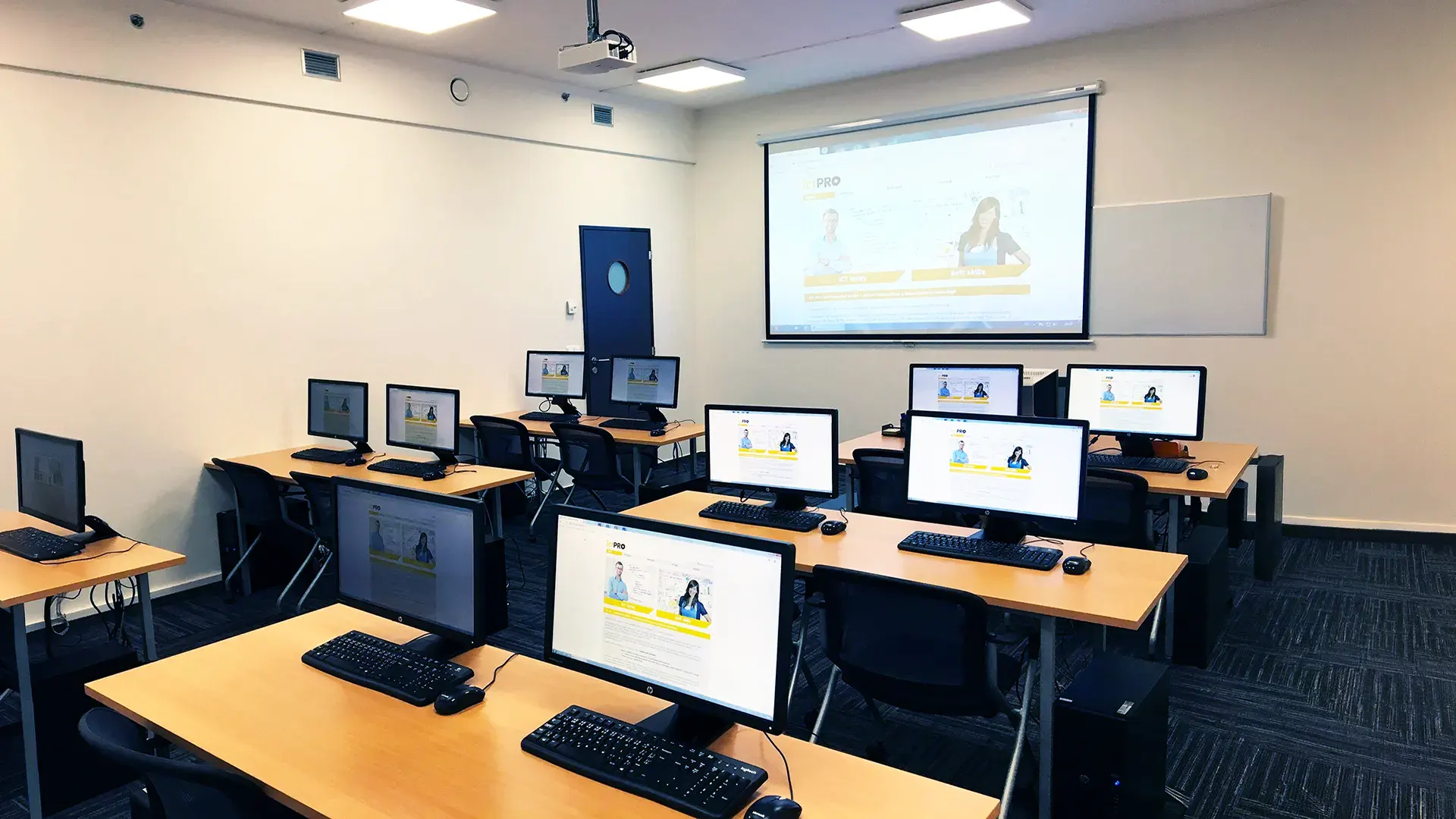 What does the environment for in-person IT courses look like?We hold training courses in our own classrooms equipped with modern computer equipment for each participant and a large projection screen. Each workstation is fitted with a powerful computer for seamless practical exercises, and the environment supports a calm, friendly atmosphere during training.
 Do I need to bring my own laptop to the classroom IT course?Our training rooms are fully equipped, so you do not need to bring your own laptop. A modern computer with all necessary hardware and software is ready for you at your workstation.
 Will you receive an official certificate after completing an IT course?Yes, upon successful completion of the training course, you will receive an official ICT Pro certificate confirming your participation and acquired technical skills. You can use it to verify your qualifications or add it to your professional profile.
 Where can you find our training center in Brno?The premises of the ICT Pro training center are located on the 1st floor of the COMGUARD building at Sochorova 38 in Brno. Positioned on the border of Žabovřesky and Komín, the location is easily accessible by both car and public transport.
 Where can you find our training center in Prague?The premises of the ICT Pro training center are located on the 1st floor of the Opatov Park building at Líbalova 1, Prague 11 – Chodov. The location provides a comfortable environment for your education with convenient access.
 What facilities and refreshments are available to you during training breaks?Our training centers feature a fully equipped kitchenette for a comfortable break during your courses. The facilities include a coffee machine, microwave, kettle, and a wide selection of drinks and snacks.
 What beverage refreshments are available during your course?A beverage station with a coffee machine, teas, syrups, and water is at your disposal throughout the entire training session. You can enjoy a coffee or another drink of your choice anytime during breaks.
 What light refreshments are provided for you during the courses?During course breaks, participants can enjoy light sweet snacks, pastries, and fruit syrups to mix their own drinks. Fresh water dispenser and plates are also available for your convenience.
 Should I bring my own snacks to ICT Pro training?There is no need to. A wide selection of savory snacks, sweet biscuits, and snack bars is available for you during breaks. Boost your energy for all-day focus right inside the training center premises.
 Can you spend training breaks in the fresh air?Yes, an outdoor terrace is available at our training center. During breaks between learning sessions, you can relax in the fresh air in a pleasant green environment.
 Where can you relax during course breaks?Our training center features a spacious outdoor terrace with seating options. During breaks between learning sessions, you can step outside to relax and recharge in the fresh air.