Azure DevOps automation with GitHub Copilot and AI agents (AZROPS)
Microsoft, Azure
AI assistants and agents can now write pipelines, design infrastructure and identify the root cause of outages. In this course, you will use the Microsoft Azure platform to learn how to integrate them throughout the DevOps lifecycle in an environment that reflects real-world operations: a load balancer, container services, replicated database, cache, message queue and static content across multiple availability zones. Each tool is used for what it does best: GitHub Copilot writes code, infrastructure and pipelines, Azure SRE Agent investigates incidents and monitors operations, while Azure Copilot agents provide guidance on design, resilience and costs.
The entire course is delivered hands-on using a single multi-tier application. Starting with an empty repository, you will use AI to gradually build the network, ingress layer, application services and data layer in Bicep, along with a CI/CD pipeline in GitHub Actions including database migrations, security checks, monitoring and cost controls. Along the way, you will trigger a database failure and a network outage, have them investigated by the SRE Agent, and use Copilot to prepare a fix from finding the issue through creating a pull request. You will leave with a working repository, your own set of Copilot instructions and skills, and a clear understanding of the permissions and oversight agents need in a team.
THIS TRAINING COURSE WILL HELP YOU:
- Integrate GitHub Copilot into everyday DevOps work in VS Code, the terminal and GitHub
- Customize Copilot for your own project using instructions, skills and custom agents
- Design and build a multi-tier Azure environment including the network, load balancer, containers, database, cache and queues
- Define the entire environment as code in Bicep and modify it safely
- Build a CI/CD pipeline in GitHub Actions including database migrations and zero-downtime deployment
- Have Azure SRE Agent investigate incidents across layers and use its findings to prepare a fix
- Secure code, credentials and the AI agents themselves, and monitor the risks of AI-generated code
- Set up governance, cost monitoring and team rules for using AI
WHO SHOULD ATTEND?
- DevOps and platform engineers
- Developers who deploy and operate their applications in Azure
- SRE and operations teams
- Cloud architects and tech leads
- Administrators moving to automation and infrastructure as code
COURSE LOCATION AND AVAILABLE DATES
Filter dates:
DateLocationFormat
LanguagePrice
PrahaPraha (hybrid)
Hybrid
This session takes place simultaneously in the classroom and online. You can choose your preferred way to attend during registration.
Czech
672 € 813 € incl. VAT
Need this course in English?
Course content:
Hide details
-
Introduction and environment setup
-
DevOps lifecycle and where AI really saves time
-
AI limitations and rules for validating outputs
-
Course target architecture: multi-tier application across multiple availability zones
-
Azure subscription, sign-in with Microsoft Entra ID and Azure CLI
-
GitHub Copilot in VS Code: repository instructions and prompt files
-
First tasks in agent mode
-
Copilot CLI, skills and Azure integration
-
Copilot CLI: planning mode and reviewing changes before commit
-
Agent skills for repeatable team processes
-
Custom agents with a restricted set of tools
-
Azure MCP Server: Copilot access to real resources
-
Dedicated agent identity: Reader role first, write access only deliberately
-
Network and ingress layer
-
Architecture design with a deployment agent in Azure Copilot based on the Well-Architected Framework
-
Bicep and Azure Developer CLI (azd): modules, Azure Verified Modules and validation with what-if
-
Multi-zone virtual network: subnets, NAT gateway and private endpoints
-
Network security groups: least-privilege rules between layers
-
Application Gateway: listeners, backend pools, health probes and path-based routing
-
Azure DNS, certificates in Key Vault and Web Application Firewall
-
Application and data layer
-
Dockerfile and Azure Container Registry
-
Azure Container Apps: API and worker services, scaling based on load and queue length
-
Azure Database for PostgreSQL: zone-redundant high availability, read replica, backups and point-in-time restore
-
Azure Managed Redis for caching and sessions, Azure Service Bus for background tasks
-
Azure Storage and Azure Front Door for static content
-
Key Vault and passwordless access with managed identity
-
CI/CD and secure deployment
-
Sign-in to Azure from GitHub Actions through OIDC, restricted to the repository and branch
-
Pipeline: build, tests, push to registry, what-if and deployment to Container Apps
-
Copilot code review in pull requests and adding tests
-
Database migrations in the pipeline and backward-compatible schema changes
-
Dev, test and prod in separate subscriptions, approvals in GitHub environments
-
Revision and traffic splitting in Container Apps, rollback of a failed version
-
DevSecOps and AI risks
-
Code scanning, secret scanning and Dependabot
-
Fixing findings with Copilot
-
Defender for Cloud: containers, databases and environment recommendations
-
Review of network rules and public accessibility of databases, cache and storage
-
Risks of AI-generated code and prompt injection
-
Hooks in Copilot CLI: blocking dangerous commands and enforcing approvals
-
Operations and incidents with Azure SRE Agent
-
Azure Monitor across layers: Application Gateway, Container Apps, database and queue metrics, alerts and dashboards
-
Application Insights and KQL queries in Log Analytics written with AI assistance
-
Connecting Azure SRE Agent to application resources and alert sources
-
Simulated outages: forced database failover, network blocking in Azure Chaos Studio and overload
-
Incident investigation with SRE Agent from alert to root cause across layers
-
Fix with Copilot, postmortem and resilience validation with the resiliency agent in Azure Copilot
-
AI agents in the team
-
Division of roles between agents: who writes, who investigates and who advises
-
Copilot cloud agent: from issue to pull request
-
Agent identities in Azure: managed identity, RBAC roles and their scope
-
Auditing agent activity in Activity Log
-
Reviewing and approving agent work, when to delegate a task and when not to
-
Governance, costs and policies
-
Management groups, Azure Policy and resource tagging
-
Rule blocking non-compliant deployments, written with AI assistance
-
Cost Management: budgets and alerts
-
Where costs are highest in a complex environment: Application Gateway, zone redundancy and NAT gateway
-
Optimization agent in Azure Copilot and cost-saving recommendations
-
Managing Copilot in the organization and team AI policies
-
Prerequisites:
-
Basic experience in development or systems administration, and familiarity with Git and the command line. Familiarity with Azure, networking and containers is an advantage but not required. Passive knowledge of English is recommended because some AI tools communicate only in English.
-
Schedule:
-
2 days (9:00-17:00)
-
Price per person:
-
672.00 € ( 813.12 € incl. 21% VAT)
Training and learning environment
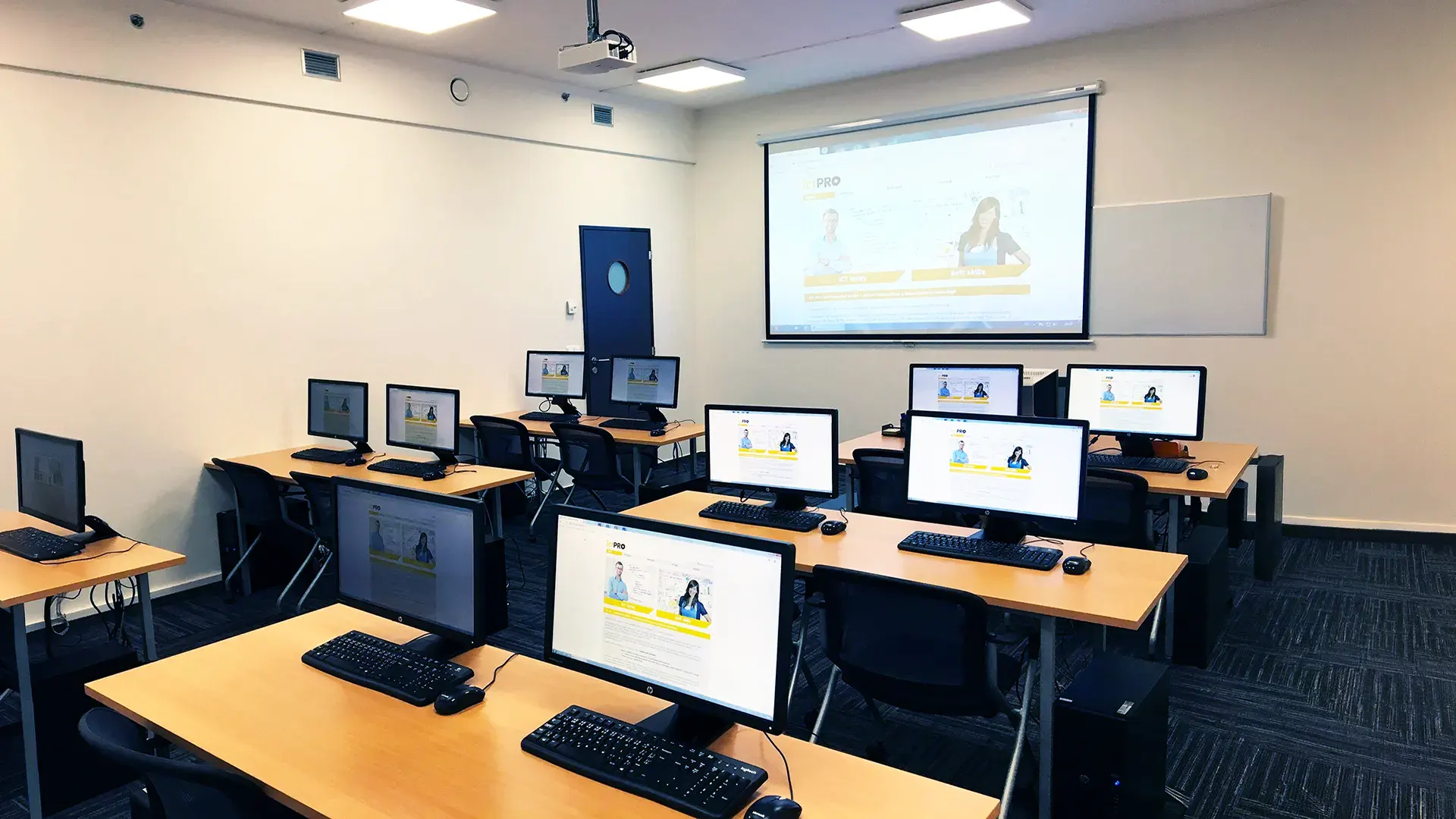 What does the environment for in-person IT courses look like?We hold training courses in our own classrooms equipped with modern computer equipment for each participant and a large projection screen. Each workstation is fitted with a powerful computer for seamless practical exercises, and the environment supports a calm, friendly atmosphere during training.
 Do I need to bring my own laptop to the classroom IT course?Our training rooms are fully equipped, so you do not need to bring your own laptop. A modern computer with all necessary hardware and software is ready for you at your workstation.
 Will you receive an official certificate after completing an IT course?Yes, upon successful completion of the training course, you will receive an official ICT Pro certificate confirming your participation and acquired technical skills. You can use it to verify your qualifications or add it to your professional profile.
 Where can you find our training center in Brno?The premises of the ICT Pro training center are located on the 1st floor of the COMGUARD building at Sochorova 38 in Brno. Positioned on the border of Žabovřesky and Komín, the location is easily accessible by both car and public transport.
 Where can you find our training center in Prague?The premises of the ICT Pro training center are located on the 1st floor of the Opatov Park building at Líbalova 1, Prague 11 – Chodov. The location provides a comfortable environment for your education with convenient access.
 What facilities and refreshments are available to you during training breaks?Our training centers feature a fully equipped kitchenette for a comfortable break during your courses. The facilities include a coffee machine, microwave, kettle, and a wide selection of drinks and snacks.
 What beverage refreshments are available during your course?A beverage station with a coffee machine, teas, syrups, and water is at your disposal throughout the entire training session. You can enjoy a coffee or another drink of your choice anytime during breaks.
 What light refreshments are provided for you during the courses?During course breaks, participants can enjoy light sweet snacks, pastries, and fruit syrups to mix their own drinks. Fresh water dispenser and plates are also available for your convenience.
 Should I bring my own snacks to ICT Pro training?There is no need to. A wide selection of savory snacks, sweet biscuits, and snack bars is available for you during breaks. Boost your energy for all-day focus right inside the training center premises.
 Can you spend training breaks in the fresh air?Yes, an outdoor terrace is available at our training center. During breaks between learning sessions, you can relax in the fresh air in a pleasant green environment.
 Where can you relax during course breaks?Our training center features a spacious outdoor terrace with seating options. During breaks between learning sessions, you can step outside to relax and recharge in the fresh air.