Canva Masterclass – Advanced Graphics, Animation and Automation (CNVM)
Graphics, 2D Graphics
If you already know Canva basics and want to go further, this advanced course will turn Canva into your main tool for design, presentations and communication. You will master bulk editing, template automation, Brand Kit setup and team workflows.
Through hands-on exercises you will build animated and interactive presentations, advanced videos, data visualizations and email templates. The course focuses on animations, data & charts, video editing and AI-assisted design to create production-ready assets.
THIS TRAINING COURSE WILL HELP YOU:
- Perform bulk edits and automate repetitive design tasks
- Create animated and interactive presentations
- Design professional emails and newsletters in Canva
- Build tables, charts and data visualizations
- Use Canva's advanced AI tools and manage Brand Kit
WHO SHOULD ATTEND?
- Marketing specialists and managers who publish content regularly
- Social media managers and creators who need faster workflows
- Project managers and presenters who want better presentations
- HR staff and internal communicators handling company content
- Anyone already using Canva who wants to get more from it
COURSE LOCATION AND AVAILABLE DATES
Praha + online (optional)
Need this course in English?
Public courses are usually delivered in Czech, but this course is also available in English. We can arrange private training for your team online, at your premises or in our classrooms, and tailor the content to your needs.
For groups of around 4 or more participants, private training can already be comparable in price to booking individual places on a public course. Send us your requirements and we’ll recommend the best format and provide an exact quote.
Request training in English
Course content:
Hide details
-
Brand Kit and consistent visual identity
-
Setting company colors, fonts and logos
-
Creating custom templates and sharing them with the team
-
Ensuring a unified visual style across all materials
-
Bulk edits and automation
-
Bulk Create – generating many designs from data (CSV, spreadsheets)
-
Magic Resize – adapting one design to multiple formats at once
-
Bulk editing of text, colors and images across designs
-
Practical exercise: generate a set of materials from one data source
-
Advanced presentations
-
Animating elements and slide transitions
-
Interactive presentations – links, buttons and navigation
-
Presenter View and remote control options
-
Embedding videos, GIFs and audio into presentations
-
Practical exercise: build an interactive presentation with animations
-
Tables, charts and data visualization
-
Creating and formatting tables
-
Charts – bar, pie, line charts and custom edits
-
Visualizing data for reports and presentations
-
Connecting to external data sources
-
Creating emails and newsletters
-
Email templates in Canva
-
Email design – layout, CTAs and responsive considerations
-
Exporting and integrating with email platforms
-
Practical exercise: produce a company newsletter
-
Advanced video work
-
Multi-layer video with animations and transitions
-
Timeline control – timing elements and effects
-
Captions, text overlays and animated typography
-
Sound – voiceover, music and synchronization
-
Short videos for social (Reels, Shorts, TikTok)
-
Advanced AI tools in Canva
-
Magic Eraser, Magic Edit and background enhancements
-
AI image generation (Text to Image)
-
Magic Write – AI text generation inside designs
-
AI translation of content
-
Practical exercise: edit a photo and generate graphics with AI
-
Tips for efficient work and collaboration
-
Organizing designs – folders, favorites and team spaces
-
Comments, sharing and approval workflows for teams
-
Keyboard shortcuts and workflow tips for faster work
-
Prerequisites:
-
Basic Canva skills (navigation, simple designs, text and templates).
-
Recommended previous course:
-
Canva – Professional Graphics for Non-Designers (CNV)
-
Schedule:
-
1 day (9:00-17:00)
-
Price per person:
-
220.00 € ( 266.20 € incl. 21% VAT)
Training and learning environment
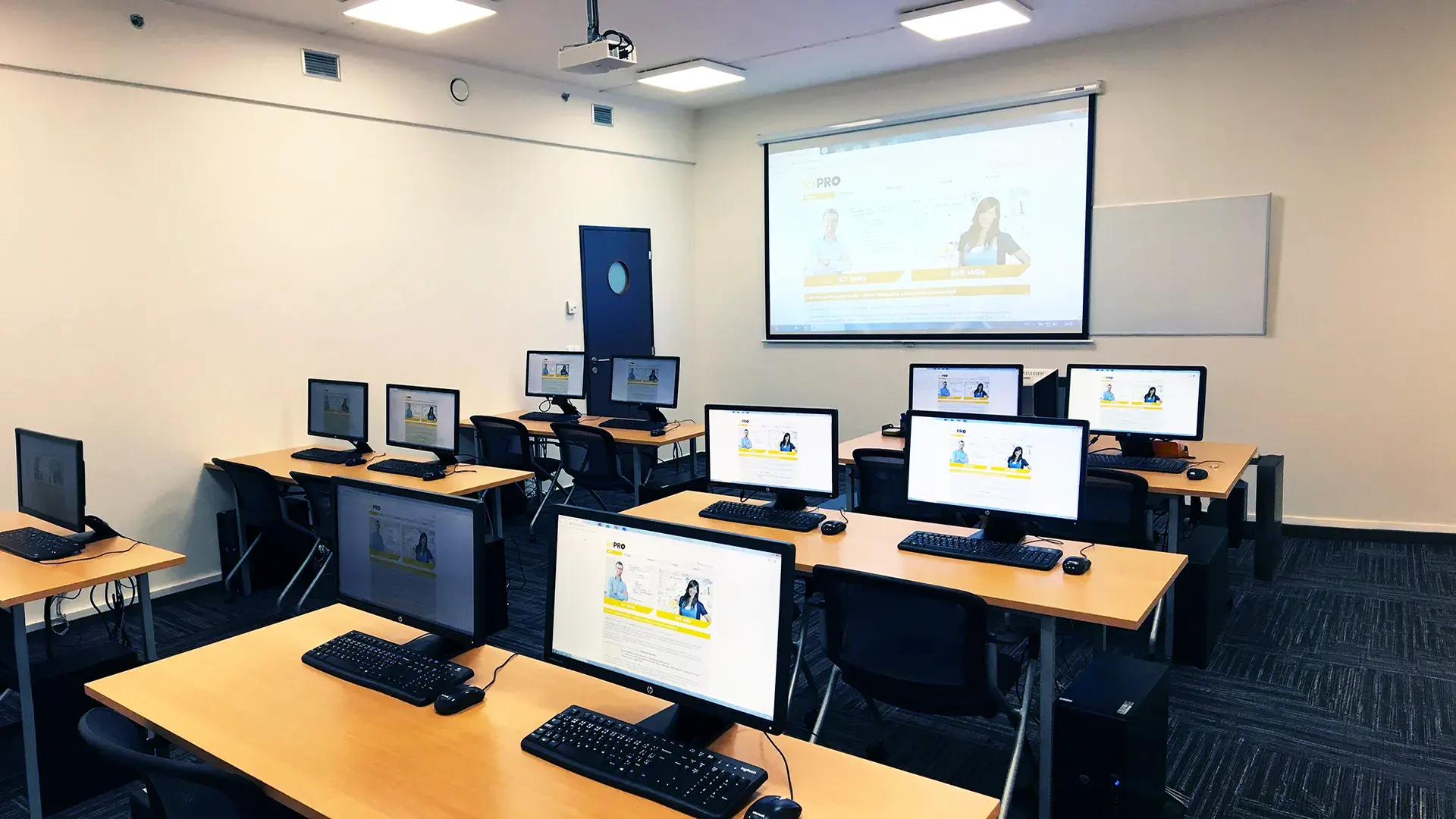 What does the environment for in-person IT courses look like?We hold training courses in our own classrooms equipped with modern computer equipment for each participant and a large projection screen. Each workstation is fitted with a powerful computer for seamless practical exercises, and the environment supports a calm, friendly atmosphere during training.
 Do I need to bring my own laptop to the classroom IT course?Our training rooms are fully equipped, so you do not need to bring your own laptop. A modern computer with all necessary hardware and software is ready for you at your workstation.
 Will you receive an official certificate after completing an IT course?Yes, upon successful completion of the training course, you will receive an official ICT Pro certificate confirming your participation and acquired technical skills. You can use it to verify your qualifications or add it to your professional profile.
 Where can you find our training center in Brno?The premises of the ICT Pro training center are located on the 1st floor of the COMGUARD building at Sochorova 38 in Brno. Positioned on the border of Žabovřesky and Komín, the location is easily accessible by both car and public transport.
 Where can you find our training center in Prague?The premises of the ICT Pro training center are located on the 1st floor of the Opatov Park building at Líbalova 1, Prague 11 – Chodov. The location provides a comfortable environment for your education with convenient access.
 What facilities and refreshments are available to you during training breaks?Our training centers feature a fully equipped kitchenette for a comfortable break during your courses. The facilities include a coffee machine, microwave, kettle, and a wide selection of drinks and snacks.
 What beverage refreshments are available during your course?A beverage station with a coffee machine, teas, syrups, and water is at your disposal throughout the entire training session. You can enjoy a coffee or another drink of your choice anytime during breaks.
 What light refreshments are provided for you during the courses?During course breaks, participants can enjoy light sweet snacks, pastries, and fruit syrups to mix their own drinks. Fresh water dispenser and plates are also available for your convenience.
 Should I bring my own snacks to ICT Pro training?There is no need to. A wide selection of savory snacks, sweet biscuits, and snack bars is available for you during breaks. Boost your energy for all-day focus right inside the training center premises.
 Can you spend training breaks in the fresh air?Yes, an outdoor terrace is available at our training center. During breaks between learning sessions, you can relax in the fresh air in a pleasant green environment.
 Where can you relax during course breaks?Our training center features a spacious outdoor terrace with seating options. During breaks between learning sessions, you can step outside to relax and recharge in the fresh air.