GIMP – raster graphics and photomontage development (GIMP)
Graphics, 2D Graphics
GIMP is a Free & Open Source raster editor available for Windows, macOS and Linux. It is a central tool in the open graphics ecosystem, commonly paired with Inkscape, Krita and Blender, and extended by plugins for print, web, animation and 3D textures.
This training covers raster workflows in GIMP, from basic editing to advanced color work, retouching, automation and non-destructive techniques. It explains requirements for print, web, 3D and VR workflows and aligns practice with professional quality standards and interoperability.
THIS TRAINING COURSE WILL HELP YOU:
- Perform routine 2D raster editing tasks confidently
- Use GIMP efficiently to produce professional outputs
- Understand workflows, inputs/outputs and supporting tech
WHO SHOULD ATTEND?
- Graphic creators for art, technical and educational work
- Scientists and engineers who process photos or scans
- Repro studios, DTP, printers and freelancers using FOSS
- Creators of educational, marketing and 3D/VR game assets
COURSE LOCATION AND AVAILABLE DATES
Need this course in English?
Public courses are usually delivered in Czech, but this course is also available in English. We can arrange private training for your team online, at your premises or in our classrooms, and tailor the content to your needs.
For groups of around 4 or more participants, private training can already be comparable in price to booking individual places on a public course. Send us your requirements and we’ll recommend the best format and provide an exact quote.
Request training in English
Course content:
Hide details
-
GIMP application
-
Purpose, features, capabilities and benchmarks
-
Ecosystem, compatibility and cooperation
-
Support for different outputs and uses
-
Batch processing and automation
-
Working with the application
-
Interface, core concepts and basic skills
-
Customizing the application to user needs
-
Working with content
-
Acquiring raster images and available options
-
Basic editing tools and common workflows
-
Tools that improve precision and efficiency
-
Advanced color work
-
Effects, filters and extensions
-
Vector tools, paths and related possibilities
-
Masks, transparency and patterns
-
Working with text
-
Working with documents
-
Document properties and settings by purpose
-
Color management, metadata and related options
-
Layer organization and color channels
-
File types and interoperability
-
Examples, typical tasks, tips & tricks
-
From basic skills to advanced techniques
-
Image adjustments and color correction
-
Photomontage and retouching practical solutions
-
Moiré, noise, sharpness, red-eye and similar fixes
-
Perspective correction
-
Panoramic photography and 360° processing
-
Creating and processing HDRI images
-
Animation, animated GIFs and effects
-
Preparing and optimizing for print, web and more
-
Further examples and hands-on exercises during training
-
Prerequisites:
-
Basic OS and file handling skills, internet use, and basic 2D graphics knowledge.
-
Recommended previous course:
-
2D Graphics Basics (not just for beginners) (2DG)
-
Schedule:
-
2 days (9:00-17:00)
Training and learning environment
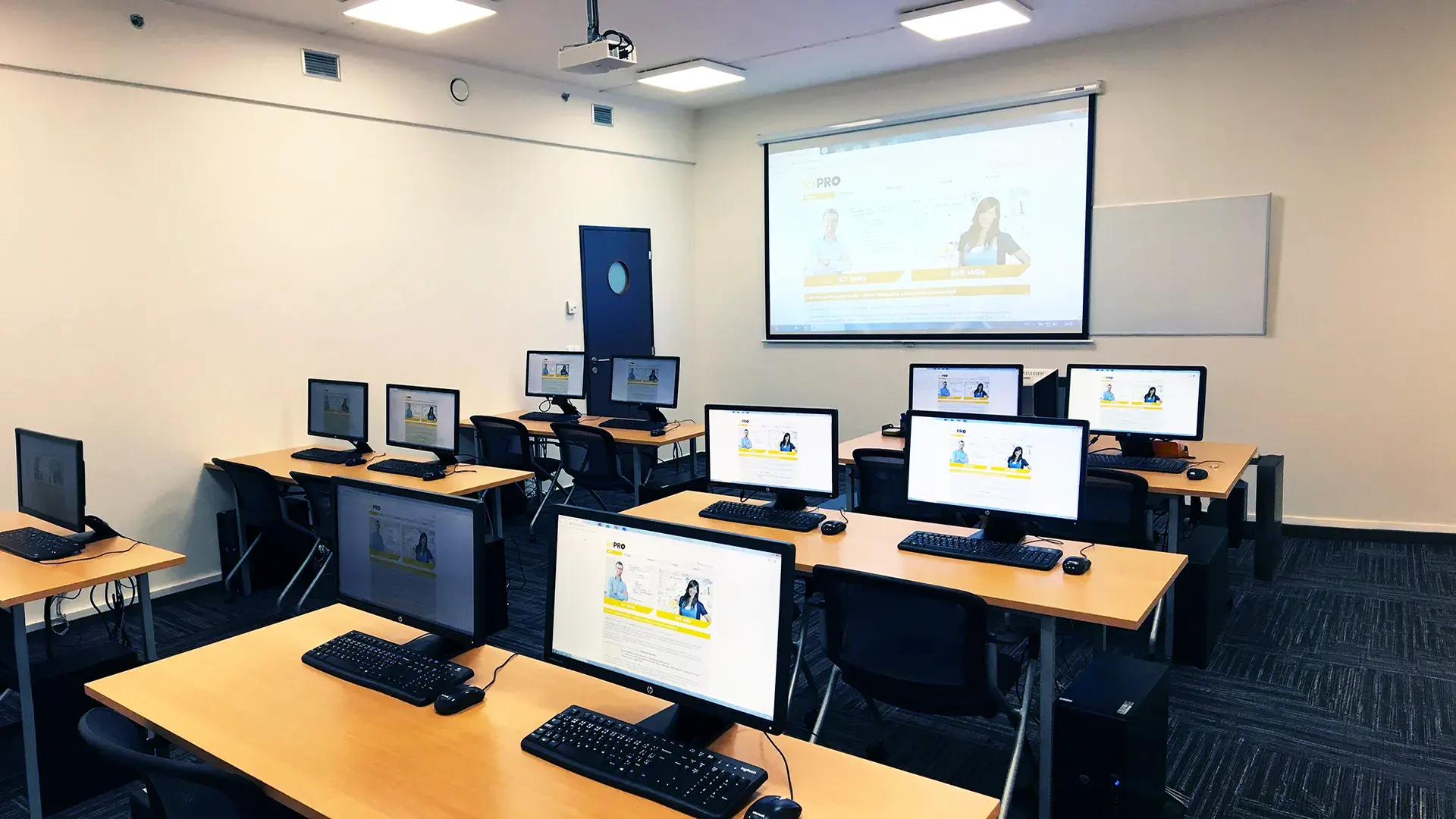 What does the environment for in-person IT courses look like?We hold training courses in our own classrooms equipped with modern computer equipment for each participant and a large projection screen. Each workstation is fitted with a powerful computer for seamless practical exercises, and the environment supports a calm, friendly atmosphere during training.
 Do I need to bring my own laptop to the classroom IT course?Our training rooms are fully equipped, so you do not need to bring your own laptop. A modern computer with all necessary hardware and software is ready for you at your workstation.
 Will you receive an official certificate after completing an IT course?Yes, upon successful completion of the training course, you will receive an official ICT Pro certificate confirming your participation and acquired technical skills. You can use it to verify your qualifications or add it to your professional profile.
 Where can you find our training center in Brno?The premises of the ICT Pro training center are located on the 1st floor of the COMGUARD building at Sochorova 38 in Brno. Positioned on the border of Žabovřesky and Komín, the location is easily accessible by both car and public transport.
 Where can you find our training center in Prague?The premises of the ICT Pro training center are located on the 1st floor of the Opatov Park building at Líbalova 1, Prague 11 – Chodov. The location provides a comfortable environment for your education with convenient access.
 What facilities and refreshments are available to you during training breaks?Our training centers feature a fully equipped kitchenette for a comfortable break during your courses. The facilities include a coffee machine, microwave, kettle, and a wide selection of drinks and snacks.
 What beverage refreshments are available during your course?A beverage station with a coffee machine, teas, syrups, and water is at your disposal throughout the entire training session. You can enjoy a coffee or another drink of your choice anytime during breaks.
 What light refreshments are provided for you during the courses?During course breaks, participants can enjoy light sweet snacks, pastries, and fruit syrups to mix their own drinks. Fresh water dispenser and plates are also available for your convenience.
 Should I bring my own snacks to ICT Pro training?There is no need to. A wide selection of savory snacks, sweet biscuits, and snack bars is available for you during breaks. Boost your energy for all-day focus right inside the training center premises.
 Can you spend training breaks in the fresh air?Yes, an outdoor terrace is available at our training center. During breaks between learning sessions, you can relax in the fresh air in a pleasant green environment.
 Where can you relax during course breaks?Our training center features a spacious outdoor terrace with seating options. During breaks between learning sessions, you can step outside to relax and recharge in the fresh air.