GitHub Copilot & .NET – Architecture and Application Development with AI Support (NETCOP)
Programming, .NET
Training focused on the architecture, design and development of .NET and other projects, using GitHub Copilot effectively as an AI agent or LLM provider. The training responds to the rapid changes in software development, where developers are becoming primarily operators of LLMs and managers of a new, inexpensive, experienced colleague with anterograde amnesia, who has no knowledge of your needs or your application.
Participants will learn how to delegate development tasks to GitHub Copilot agents, use them in practice, monitor the quality of their work, manage the context window effectively, benchmark and fine-tune agent performance, and use them to accelerate the delivery of software solutions built on the .NET platform. Knowledge of GitHub Copilot, Git and fundamental AI-first architecture approaches can be transferred to other technology stacks.
THIS TRAINING COURSE WILL HELP YOU:
- Understand the capabilities of GitHub Copilot in the context of the entire development process
- Architectures suitable for greenfield AI-first projects
- Effectively delegate development tasks to AI agents
- Configure and adapt Copilot agents for your team and project
- Generally improve the quality of your .NET/Java applications
- Design .NET/Java application architectures suitable for an AI-first approach
- Increase delivery speed and quality without increasing team capacity
WHO SHOULD ATTEND?
- Senior .NET developers who want to work more efficiently on everyday tasks
- Architects who want to build an architecture suitable for an AI-first approach
- Tech leads looking for ways to accelerate development and review changes
- Teams transitioning to an AI-assisted way of working
COURSE LOCATION AND AVAILABLE DATES
22–23 Mar 2027
556 €
CZECH
21–22 Jun 2027
556 €
CZECH
Praha + online (optional)
22–23 Mar 2027
556 €
CZECH
21–22 Jun 2027
556 €
CZECH
Need this course in English?
Public courses are usually delivered in Czech, but this course is also available in English. We can arrange private training for your team online, at your premises or in our classrooms, and tailor the content to your needs.
For groups of around 4 or more participants, private training can already be comparable in price to booking individual places on a public course. Send us your requirements and we’ll recommend the best format and provide an exact quote.
Request training in English
Course content:
Hide details
-
Introduction to GitHub Copilot
-
What GitHub Copilot is and where it can be used
-
Feature overview: chat, completion, code review, agents
-
GitHub Copilot CLI
-
Installing and configuring GitHub Copilot CLI
-
Commands for generating code, explanations and refactoring from the terminal
-
Integrating the CLI into scripts and CI/CD pipelines
-
Differences from IDE integration and when to prefer the CLI
-
IDE integration
-
Installing and configuring extensions in VS Code and Visual Studio
-
Inline completion, chat panel and code review in the editor
-
Context window – how Copilot “sees” your code and project
-
Token-based billing: what a token is, how the context window is calculated and how this affects costs
-
The new Agents application
-
Customizing Copilot
-
Instructions – global and project-level control of behavior
-
Prompts – creating explicit templates for recurring tasks
-
Custom agents – configuring agents for specific roles within the team
-
Skills – extending agent capabilities with custom skills
-
Hooks – automatic actions triggered by development events
-
MCP servers – connecting agents to external tools and data sources
-
Plugins – integrating third parties into the workflow
-
Copilot as an LLM provider – using a subscription in external AI tools, such as Open Code
-
Architectures suitable for AI-first development
-
Principles of designing applications for effective collaboration with AI
-
Modularity, clean architecture and separation of responsibilities
-
Patterns suitable for delegation to agents
-
Delegating development tasks
-
How to formulate instructions for an agent correctly
-
Processing outputs and validating results
-
Branching, workspaces, pull requests and agent-driven code review
-
Testing and code quality
-
Generating unit and integration tests
-
Static analysis and refactoring with the help of agents
-
Continuous integration and automated checks
-
Non-LLM tools suitable for improving quality and/or delivery speed
-
Practical workshop
-
Developing a clean .NET application while delegating tasks to Copilot agents
-
Working with a sample repository
-
Examples of real-world scenarios
-
Working with GitHub Issues and projects
-
Delegating entire issues to an agent (Copilot coding agent)
-
Tracking progress, reviewing and approving outputs
-
Prompt engineering for developers
-
Principles of effective instruction writing
-
Iterating on results and fine-tuning prompts
-
The difference between a one-off query and a controlled agent
-
Security and governance
-
Protecting sensitive data and secrets in the context of Copilot
-
Company policies, enabling and disabling features through GitHub Enterprise
-
Audit log and usage monitoring
-
Schedule:
-
2 days (9:00-17:00)
-
Price per person:
-
556.00 € ( 672.76 € incl. 21% VAT)
Training and learning environment
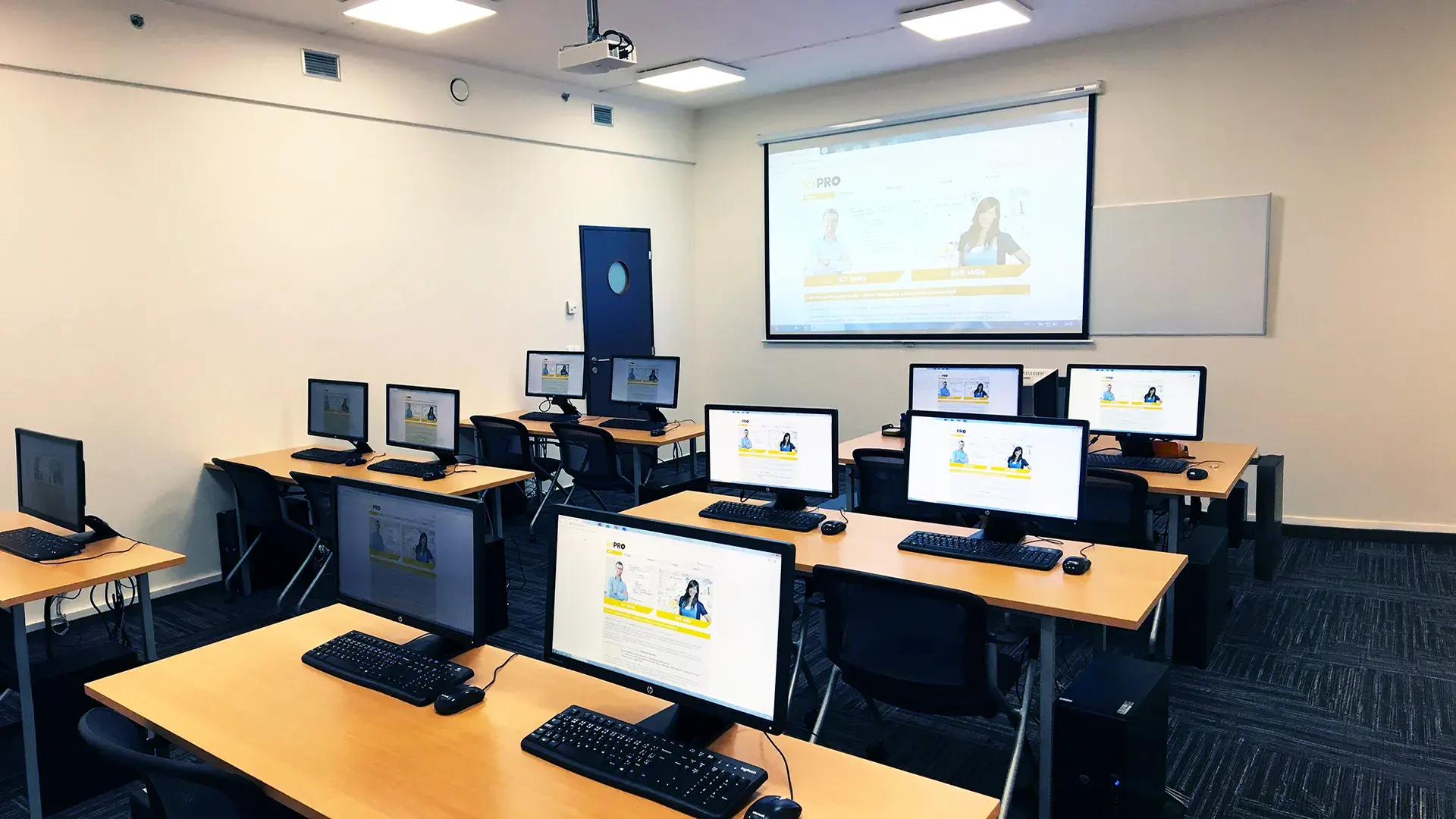 What does the environment for in-person IT courses look like?We hold training courses in our own classrooms equipped with modern computer equipment for each participant and a large projection screen. Each workstation is fitted with a powerful computer for seamless practical exercises, and the environment supports a calm, friendly atmosphere during training.
 Do I need to bring my own laptop to the classroom IT course?Our training rooms are fully equipped, so you do not need to bring your own laptop. A modern computer with all necessary hardware and software is ready for you at your workstation.
 Will you receive an official certificate after completing an IT course?Yes, upon successful completion of the training course, you will receive an official ICT Pro certificate confirming your participation and acquired technical skills. You can use it to verify your qualifications or add it to your professional profile.
 Where can you find our training center in Brno?The premises of the ICT Pro training center are located on the 1st floor of the COMGUARD building at Sochorova 38 in Brno. Positioned on the border of Žabovřesky and Komín, the location is easily accessible by both car and public transport.
 Where can you find our training center in Prague?The premises of the ICT Pro training center are located on the 1st floor of the Opatov Park building at Líbalova 1, Prague 11 – Chodov. The location provides a comfortable environment for your education with convenient access.
 What facilities and refreshments are available to you during training breaks?Our training centers feature a fully equipped kitchenette for a comfortable break during your courses. The facilities include a coffee machine, microwave, kettle, and a wide selection of drinks and snacks.
 What beverage refreshments are available during your course?A beverage station with a coffee machine, teas, syrups, and water is at your disposal throughout the entire training session. You can enjoy a coffee or another drink of your choice anytime during breaks.
 What light refreshments are provided for you during the courses?During course breaks, participants can enjoy light sweet snacks, pastries, and fruit syrups to mix their own drinks. Fresh water dispenser and plates are also available for your convenience.
 Should I bring my own snacks to ICT Pro training?There is no need to. A wide selection of savory snacks, sweet biscuits, and snack bars is available for you during breaks. Boost your energy for all-day focus right inside the training center premises.
 Can you spend training breaks in the fresh air?Yes, an outdoor terrace is available at our training center. During breaks between learning sessions, you can relax in the fresh air in a pleasant green environment.
 Where can you relax during course breaks?Our training center features a spacious outdoor terrace with seating options. During breaks between learning sessions, you can step outside to relax and recharge in the fresh air.