MS SQL Server – Comprehensive Performance Optimization (MSQL3)
Databases, Microsoft SQL
This course gives a practical, comprehensive guide to performance tuning for MS SQL Server, covering system architecture, server configuration and detailed query analysis. You will learn to diagnose causes, measure impact and prioritize fixes and use automated monitoring.
The hands-on course shows how to read execution plans, design and maintain indexes, and tune complex queries and transactions. It covers automated tuning, monitoring, and how database or application design affects overall performance in real scenarios.
THIS TRAINING COURSE WILL HELP YOU:
- Identify database performance issues and find their root cause
- Analyze execution plans and use them to tune queries
- Design, build and maintain indexes effectively
- Optimize T-SQL queries for maximum performance
- Use tools to monitor server and individual query performance
WHO SHOULD ATTEND?
- Database administrators managing operational SQL Server
- Database and T-SQL developers who write efficient queries
- Data analysts and BI specialists working with large queries
- Database architects and solution designers
- DevOps and IT specialists responsible for deployment and operations
COURSE LOCATION AND AVAILABLE DATES
This public course is delivered online only, so you can attend remotely without travelling to a classroom. The same course can also be delivered in person as private training at your premises.
For technically demanding courses, prepared remote labs are provided, so you do not need to install anything locally.
9–11 Nov 2026
744 €
CZECH
14–16 Jun 2027
744 €
CZECH
Need this course in English?
Public courses are usually delivered in Czech, but this course is also available in English. We can arrange private training for your team online, at your premises or in our classrooms, and tailor the content to your needs.
For groups of around 4 or more participants, private training can already be comparable in price to booking individual places on a public course. Send us your requirements and we’ll recommend the best format and provide an exact quote.
Request training in English
Course content:
Hide details
-
Introduction to Performance Tuning
-
Where to start and what to focus on
-
Limits of optimization and SQL Server constraints
-
SQL Server query processing architecture
-
SQL Server caches: usage, management and impact on performance
-
A holistic approach to optimization
-
Architecture and its impact on performance
-
SQL Server architecture overview
-
Logical and physical database structure
-
Filegroups
-
Tempdb and its performance implications
-
OS-level factors: CPU, RAM, storage, network and correct configuration
-
Storage arrays, SSDs and flash technologies
-
IOPS requirements and performance measurement
-
Cloud optimizations and DBaaS overview
-
Execution plans
-
Introduction
-
Cost, IO cost, CPU cost
-
How to compare and read execution plans
-
Operators and their significance
-
Compilation, plan recycling and reuse
-
Plan parameterization
-
Parameter sniffing
-
Indexes
-
Clustered vs. nonclustered indexes
-
How SQL Server uses or ignores indexes
-
Internal index structure and usage
-
Index statistics, internals and their use
-
Covering vs. composite indexes
-
Indexing expressions and aggregate functions
-
Indexed (materialized) views
-
Lesser-known index techniques for query optimization
-
Full-text indexes: SQL Server options and alternatives
-
Other SQL Server index types: XML, hierarchical, spatial, Columnstore
-
Alternatives and search databases overview
-
Solving problems with queries, indexes, databases and design
-
Common issues in database, query and index design
-
How indexes affect query performance
-
Over-indexing and under-indexing
-
Index optimization techniques
-
Eliminating bookmark lookups
-
Index consolidation
-
Automated index and statistics maintenance
-
Filtered indexes and filtered statistics
-
ORMs: common issues and limitations
-
Practical recommendations
-
Index and database maintenance
-
Statistics management
-
Index maintenance strategies
-
Management plans
-
SQL query performance optimization
-
Principles of writing efficient queries
-
Join operators
-
JOIN optimization techniques
-
Normalization vs. denormalization trade-offs
-
MERGE operator for fast data synchronization
-
Optimizing binaries with FILESTREAM
-
Transactions
-
ACID principles
-
Transaction concepts
-
Transaction isolation and isolation levels
-
Snapshot isolation, MVCC architecture pros and cons
-
Concurrency of queries and transactions
-
Locks and their meaning
-
Deadlocks
-
Automated server tuning
-
Automated performance tuning and when to use it
-
SQL Profiler
-
Database Engine Tuning Advisor
-
Performance monitoring
-
Activity Monitor, Performance Monitor
-
Query Store
-
Extended Events
-
Monitoring via WMI
-
Data Collector and Management Data Warehouse
-
SQL Server Performance Dashboard reports
-
Dynamic Management Views
-
Query and server state analysis
-
Analyzing queries, execution plans and resource usage
-
Index analysis and tuning
-
Lock and blocking analysis
-
Waits and other resource-related problem analysis
-
Optimizing application processing
-
Minimizing blocking and deadlocks
-
Transaction optimization
-
Hints
-
Reducing tempdb operations
-
Common SQL Server performance killers
-
Optimizing overall operation
-
Optimization checklist
-
Practical recommendations
-
Prerequisites:
-
Basic knowledge of SQL and MS SQL Server administration.
-
Recommended previous course:
-
SQL Server Administration (MSQL1)
-
Schedule:
-
3 days (9:00-17:00)
-
Price per person:
-
744.00 € ( 900.24 € incl. 21% VAT)
Selected customer reviews
COMMERZBANK Aktiengesellschaft, pobočka Praha, Dimos K.
MS SQL Server – Comprehensive Performance Optimization (
MSQL3)
"The lecturer was very professional able to answer in any question during the course"
COMMERZBANK Aktiengesellschaft, pobočka Praha, Oleksandr S.
MS SQL Server – Comprehensive Performance Optimization (
MSQL3)
"I want to thank Pavel for excellent coverage of material and additional recommendations and notes with examples regarding performance tuning "
Training and learning environment
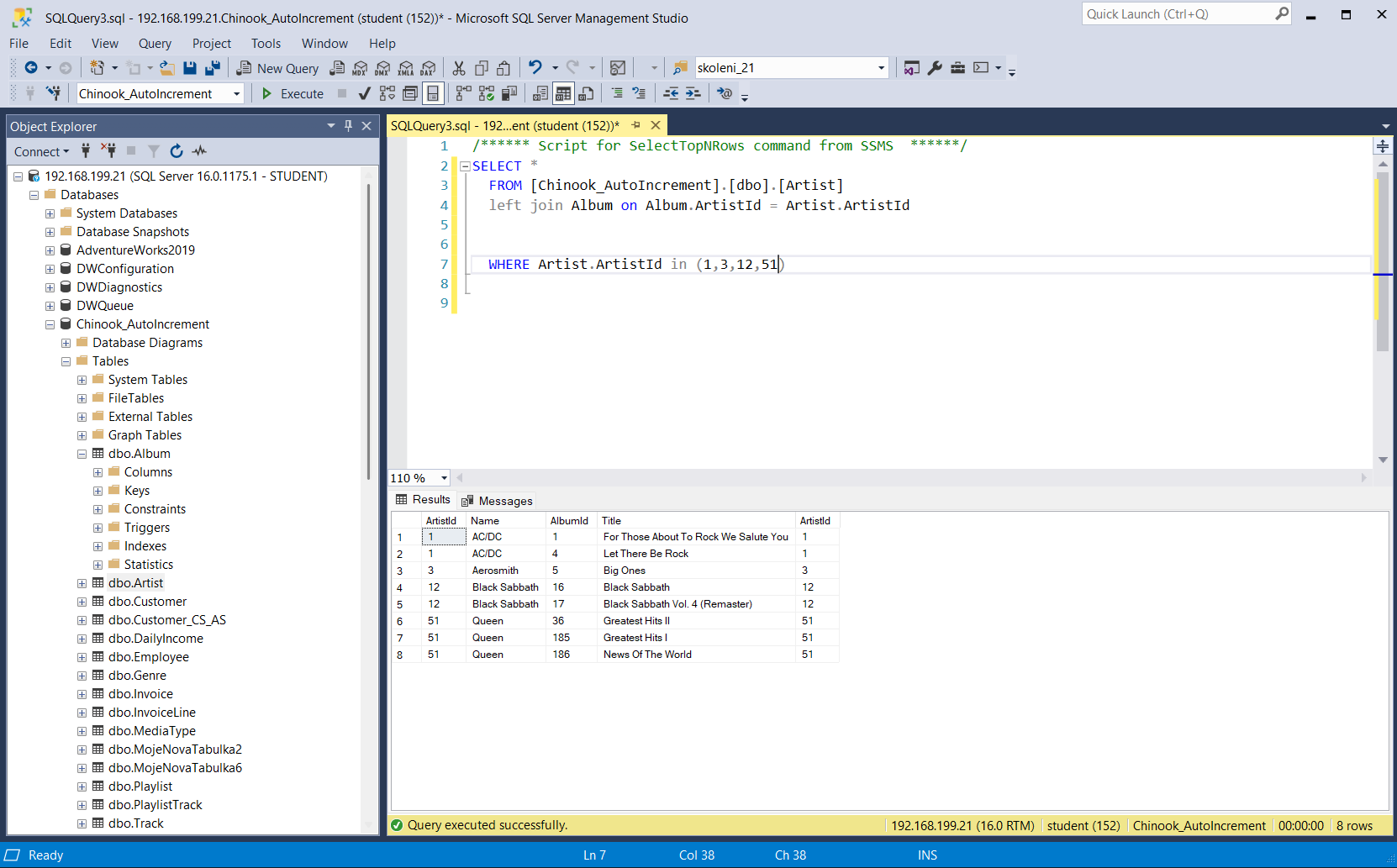 How does practical SQL query training look like?During the training, you work directly in SQL Server Management Studio, writing your own T-SQL queries and joining tables. You will immediately verify your code on real datasets and learn how to filter data effectively.
 What does the environment for in-person IT courses look like?We hold training courses in our own classrooms equipped with modern computer equipment for each participant and a large projection screen. Each workstation is fitted with a powerful computer for seamless practical exercises, and the environment supports a calm, friendly atmosphere during training.
 Do I need to bring my own laptop to the classroom IT course?Our training rooms are fully equipped, so you do not need to bring your own laptop. A modern computer with all necessary hardware and software is ready for you at your workstation.
 Will you receive an official certificate after completing an IT course?Yes, upon successful completion of the training course, you will receive an official ICT Pro certificate confirming your participation and acquired technical skills. You can use it to verify your qualifications or add it to your professional profile.
 Where can you find our training center in Brno?The premises of the ICT Pro training center are located on the 1st floor of the COMGUARD building at Sochorova 38 in Brno. Positioned on the border of Žabovřesky and Komín, the location is easily accessible by both car and public transport.
 Where can you find our training center in Prague?The premises of the ICT Pro training center are located on the 1st floor of the Opatov Park building at Líbalova 1, Prague 11 – Chodov. The location provides a comfortable environment for your education with convenient access.
 What facilities and refreshments are available to you during training breaks?Our training centers feature a fully equipped kitchenette for a comfortable break during your courses. The facilities include a coffee machine, microwave, kettle, and a wide selection of drinks and snacks.
 What beverage refreshments are available during your course?A beverage station with a coffee machine, teas, syrups, and water is at your disposal throughout the entire training session. You can enjoy a coffee or another drink of your choice anytime during breaks.
 What light refreshments are provided for you during the courses?During course breaks, participants can enjoy light sweet snacks, pastries, and fruit syrups to mix their own drinks. Fresh water dispenser and plates are also available for your convenience.
 Should I bring my own snacks to ICT Pro training?There is no need to. A wide selection of savory snacks, sweet biscuits, and snack bars is available for you during breaks. Boost your energy for all-day focus right inside the training center premises.
 Can you spend training breaks in the fresh air?Yes, an outdoor terrace is available at our training center. During breaks between learning sessions, you can relax in the fresh air in a pleasant green environment.
 Where can you relax during course breaks?Our training center features a spacious outdoor terrace with seating options. During breaks between learning sessions, you can step outside to relax and recharge in the fresh air.