Microsoft 365 – automatically creating tasks from meetings with AI (ICTWS63)
Specialized training, Webinars
How often have tasks been assigned during a meeting, only for some of them to get lost later in notes or emails? What if artificial intelligence could identify tasks from a meeting, assign responsible people, set due dates, and continuously update their status based on subsequent meetings?
Using a real-world implementation, we will show you how Microsoft Teams, Power Automate, SharePoint, AI Builder and Copilot Studio can be integrated to automate meeting processing. You will see a solution that creates a task overview from a meeting transcript, updates task status, prevents duplicates, sends unclear items to a human for review and makes it easy to find out what participants agreed on. This is not a step-by-step click guide. You will learn what worked in practice, what did not and what we would do differently today.
THIS WEBINAR WILL HELP YOU:
- Understand how to use AI for automated meeting processing and subsequent task management
- Learn about the possibilities for integrating Microsoft 365 tools to automate business processes
- Gain inspiration for reducing manual note-taking, preventing forgotten tasks and improving visibility into task completion
- Learn from the mistakes we encountered during implementation and conduct meetings so that AI can reliably capture tasks
WHO SHOULD ATTEND?
- Managers and team leaders who want to make meetings and task tracking more efficient
- Microsoft 365 users looking for practical ways to use AI in their everyday work
- IT specialists and professionals responsible for digitalization and automation of business processes
Date and registration
8 Dec 2026
10:00-11:00
ZDARMA
Course content:
Hide details
-
Automatically saving Microsoft Teams meeting transcripts to SharePoint using Power Automate
-
Simply create the meeting from the meeting account and enable transcription
-
Using AI Builder to identify tasks, decisions, open questions, risks and work status updates
-
AI reads long meetings in sections
-
Automatically identifying responsible people and due dates
-
Who is the owner and who is the requester, converting “by Friday” into a specific date and matching names to Microsoft 365 accounts
-
Comparing new items with existing tasks
-
New task, update or skip. No duplicates are created, and tasks that are merely related are not merged
-
Human review of uncertain items
-
For example, a task without an owner, a person who cannot be found or a possible duplicate
-
Second reading of the transcript
-
Finding tasks mentioned in passing
-
Tracking tasks in SharePoint with change history and transcript citations
-
After the meeting, a summary is sent, and before the next meeting, a reminder is sent by email or in Teams
-
Using an AI agent in Copilot Studio to query tasks directly in Microsoft Teams
-
Implementation experience
-
What did not work, what we would do differently today and how to speak during meetings so that AI captures tasks
-
Recommended follow-up course:
-
Administrative Automation with Power Automate and AI (PAUTAI)
-
Schedule:
-
1 day (10:00-11:00)
-
Price per person:
-
.00 € ( .00 € incl. 21% VAT)

Jaromír Světlík
Training and learning environment
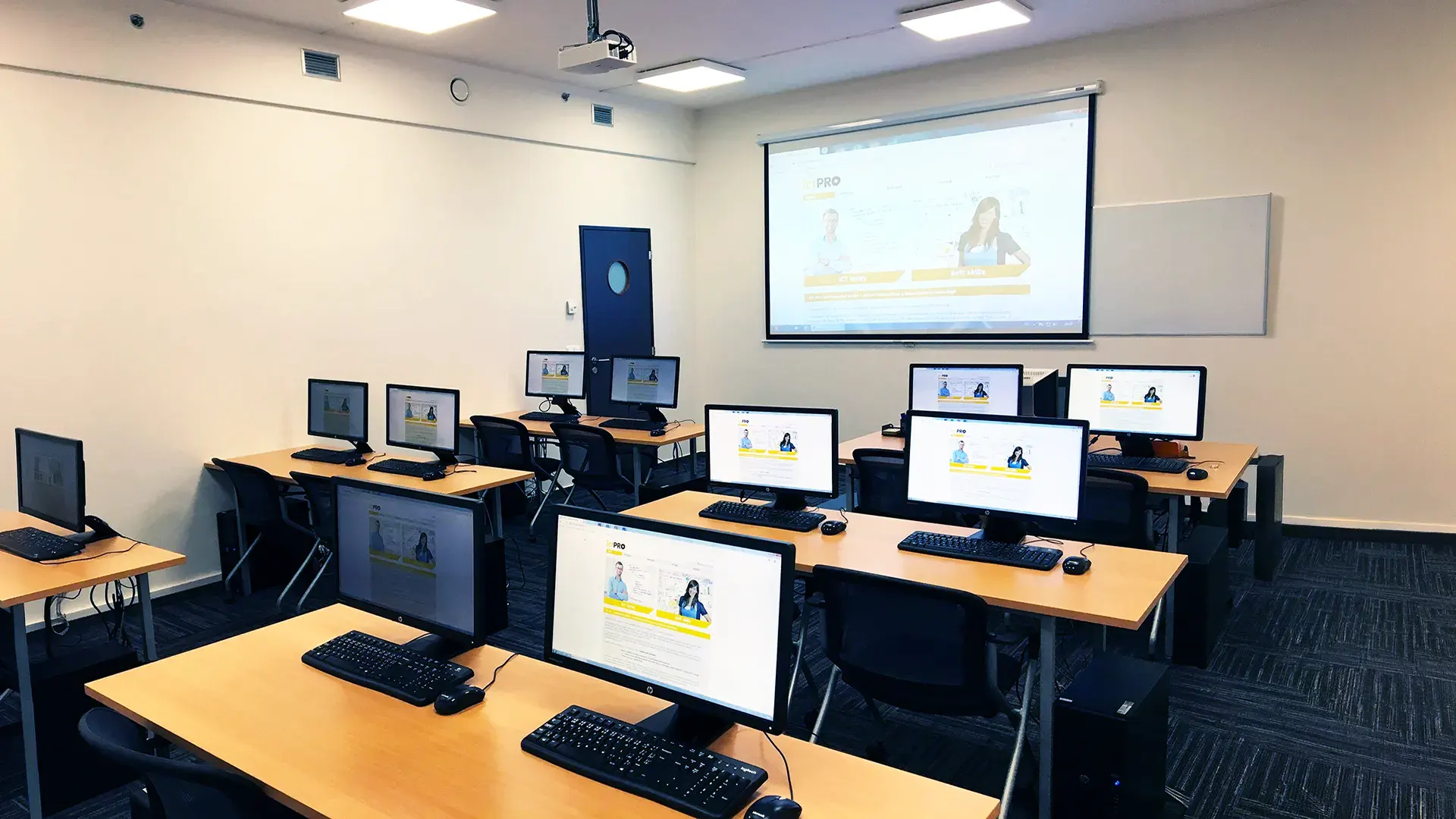 What does the environment for in-person IT courses look like?We hold training courses in our own classrooms equipped with modern computer equipment for each participant and a large projection screen. Each workstation is fitted with a powerful computer for seamless practical exercises, and the environment supports a calm, friendly atmosphere during training.
 Do I need to bring my own laptop to the classroom IT course?Our training rooms are fully equipped, so you do not need to bring your own laptop. A modern computer with all necessary hardware and software is ready for you at your workstation.
 Will you receive an official certificate after completing an IT course?Yes, upon successful completion of the training course, you will receive an official ICT Pro certificate confirming your participation and acquired technical skills. You can use it to verify your qualifications or add it to your professional profile.
 Where can you find our training center in Brno?The premises of the ICT Pro training center are located on the 1st floor of the COMGUARD building at Sochorova 38 in Brno. Positioned on the border of Žabovřesky and Komín, the location is easily accessible by both car and public transport.
 Where can you find our training center in Prague?The premises of the ICT Pro training center are located on the 1st floor of the Opatov Park building at Líbalova 1, Prague 11 – Chodov. The location provides a comfortable environment for your education with convenient access.
 What facilities and refreshments are available to you during training breaks?Our training centers feature a fully equipped kitchenette for a comfortable break during your courses. The facilities include a coffee machine, microwave, kettle, and a wide selection of drinks and snacks.
 What beverage refreshments are available during your course?A beverage station with a coffee machine, teas, syrups, and water is at your disposal throughout the entire training session. You can enjoy a coffee or another drink of your choice anytime during breaks.
 What light refreshments are provided for you during the courses?During course breaks, participants can enjoy light sweet snacks, pastries, and fruit syrups to mix their own drinks. Fresh water dispenser and plates are also available for your convenience.
 Should I bring my own snacks to ICT Pro training?There is no need to. A wide selection of savory snacks, sweet biscuits, and snack bars is available for you during breaks. Boost your energy for all-day focus right inside the training center premises.
 Can you spend training breaks in the fresh air?Yes, an outdoor terrace is available at our training center. During breaks between learning sessions, you can relax in the fresh air in a pleasant green environment.
 Where can you relax during course breaks?Our training center features a spacious outdoor terrace with seating options. During breaks between learning sessions, you can step outside to relax and recharge in the fresh air.