NotebookLM – Creating clear outputs from source materials quickly and easily (AINLM)
AI - Artificial Intelligence, AI for Professions
This hands-on course teaches practical AI methods to work with documents, capture and structure knowledge, and accelerate topic comprehension. NotebookLM helps you ingest varied sources, pose precise questions and produce consistent, shareable outputs.
The training uses real scenarios, exercises and proven practices to build confident users. You will create mind maps, audio and video overviews, infographics and slide decks, while applying data safety and repeatable workflows for long-term use.
THIS TRAINING COURSE WILL HELP YOU:
- Use NotebookLM for daily document and knowledge work
- Quickly get oriented in topics and large materials
- Convert information into clear, usable formats
- Understand NotebookLM output types: text, visuals, presentations
- Develop habits for safe, responsible use of AI tools
WHO SHOULD ATTEND?
- Internal trainers, instructors and L&D professionals
- Team leaders, managers and project coordinators
- Specialists handling documents, policies and reports
- HR, marketing, sales and customer support professionals
- Students, academics and professionals seeking practical AI skills
COURSE LOCATION AND AVAILABLE DATES
Need this course in English?
Public courses are usually delivered in Czech, but this course is also available in English. We can arrange private training for your team online, at your premises or in our classrooms, and tailor the content to your needs.
For groups of around 4 or more participants, private training can already be comparable in price to booking individual places on a public course. Send us your requirements and we’ll recommend the best format and provide an exact quote.
Request training in English
Course content:
Hide details
-
NotebookLM as a work and study assistant
-
What NotebookLM solves and where it adds value
-
Typical scenarios: study, onboarding, internal docs, meeting prep, topic overviews
-
Thinking of a notebook as a "working space over sources"
-
What to expect from AI and how to set realistic expectations
-
Practical demonstrations on real documents
-
How to prepare quality inputs (sources)
-
What sources you can add to a notebook and how to work with them
-
How to assemble materials by goal (course, project, client, audit, topic)
-
How input quality affects output quality
-
Practical guidelines for selecting and organizing sources
-
Import limits and specifics (e.g., web pages, YouTube transcripts, copied sources, size limits)
-
Working with queries and guiding conversations over sources
-
How to ask about content so the answer is useful
-
How to specify desired output format (briefing, list, outline, FAQ, overview)
-
How to ask for simpler explanations of complex parts
-
How to move from a quick overview to deeper analysis
-
Practical demonstrations on real documents
-
Overview and comprehension: summaries, explanations, mind maps
-
Creating summaries for yourself, your team or management
-
Using NotebookLM when learning a new topic
-
Mind maps as a tool to navigate a topic and link concepts
-
How to use a mind map to plan next questions and source work
-
Converting content into shareable formats
-
Audio Overview for an audibly guided introduction to a topic
-
Video Overview for clear explanations using AI‑narrated slides
-
Infographics for visual summaries of key information
-
Slide deck as a base presentation for internal or external use
-
How to handle AI output inaccuracies and the need for verification
-
NotebookLM for team productivity and knowledge sharing
-
Preparing materials for meetings and decision making
-
Turning internal documents into clearer, more usable forms
-
Converting know‑how into formats suitable for onboarding or training
-
Sharing outputs and notebooks with attention to account type and permissions
-
Security, compliance and responsible AI use
-
How to handle sensitive and internal information safely
-
What not to submit to AI without approval or rules
-
User responsibility for fact‑checking and final outputs
-
Basic legal and ethical minimums (copyright, internal rules, transparency)
-
Practical guidelines for safe deployment in an organization
-
Adoption into your own practice
-
How to select first use cases with fast impact
-
How to prepare reusable templates for working with NotebookLM
-
How to measure benefit (time saved, quality, consistency)
-
Final practical exercise using participants' own materials
-
Recommendations for ongoing development and independent use
-
Prerequisites:
-
Basic computer skills; a Google account with access to NotebookLM is recommended.
-
Schedule:
-
0 days (9:00-17:00)
Training and learning environment
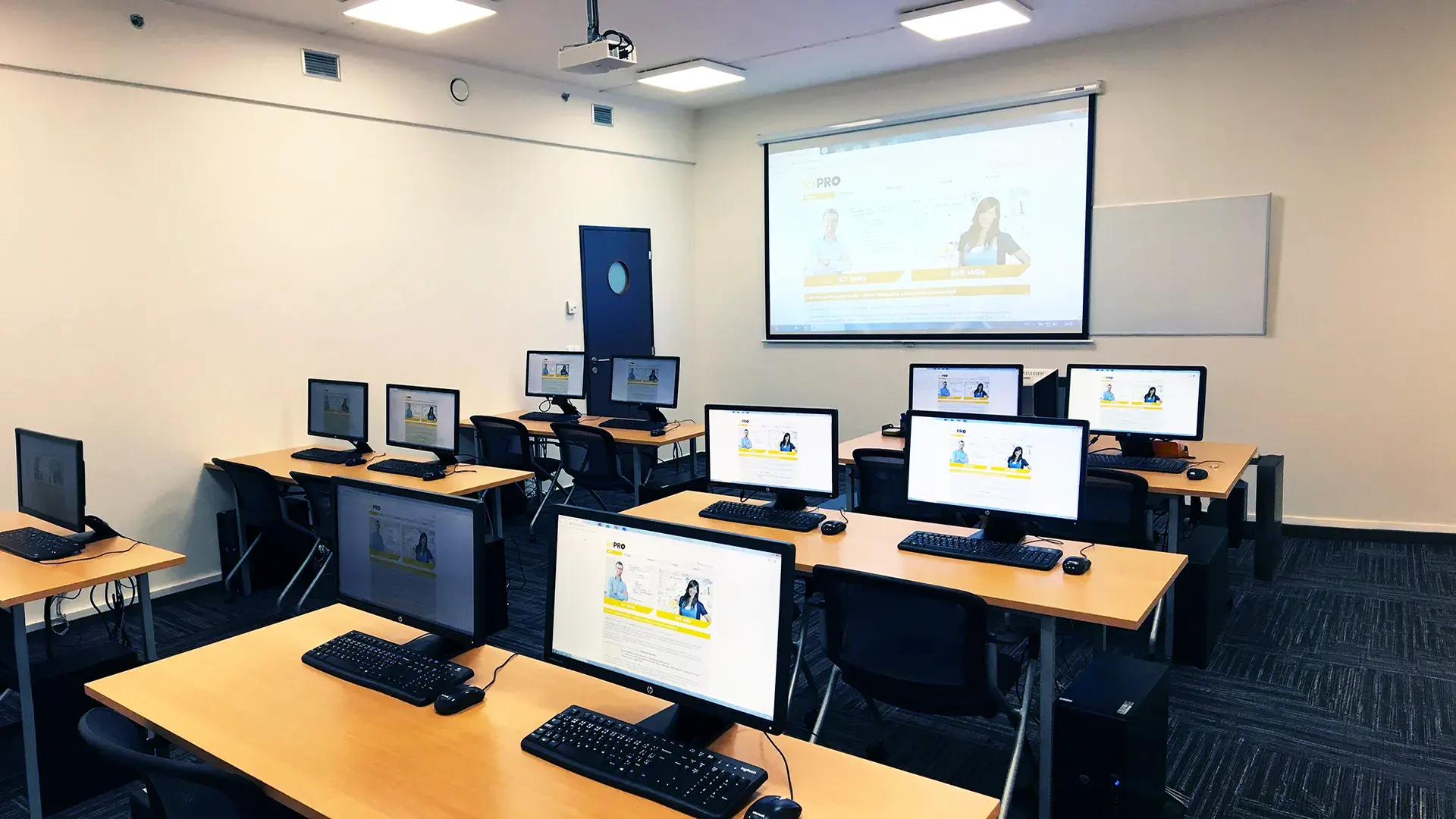 What does the environment for in-person IT courses look like?We hold training courses in our own classrooms equipped with modern computer equipment for each participant and a large projection screen. Each workstation is fitted with a powerful computer for seamless practical exercises, and the environment supports a calm, friendly atmosphere during training.
 Do I need to bring my own laptop to the classroom IT course?Our training rooms are fully equipped, so you do not need to bring your own laptop. A modern computer with all necessary hardware and software is ready for you at your workstation.
 Will you receive an official certificate after completing an IT course?Yes, upon successful completion of the training course, you will receive an official ICT Pro certificate confirming your participation and acquired technical skills. You can use it to verify your qualifications or add it to your professional profile.
 Where can you find our training center in Brno?The premises of the ICT Pro training center are located on the 1st floor of the COMGUARD building at Sochorova 38 in Brno. Positioned on the border of Žabovřesky and Komín, the location is easily accessible by both car and public transport.
 Where can you find our training center in Prague?The premises of the ICT Pro training center are located on the 1st floor of the Opatov Park building at Líbalova 1, Prague 11 – Chodov. The location provides a comfortable environment for your education with convenient access.
 What facilities and refreshments are available to you during training breaks?Our training centers feature a fully equipped kitchenette for a comfortable break during your courses. The facilities include a coffee machine, microwave, kettle, and a wide selection of drinks and snacks.
 What beverage refreshments are available during your course?A beverage station with a coffee machine, teas, syrups, and water is at your disposal throughout the entire training session. You can enjoy a coffee or another drink of your choice anytime during breaks.
 What light refreshments are provided for you during the courses?During course breaks, participants can enjoy light sweet snacks, pastries, and fruit syrups to mix their own drinks. Fresh water dispenser and plates are also available for your convenience.
 Should I bring my own snacks to ICT Pro training?There is no need to. A wide selection of savory snacks, sweet biscuits, and snack bars is available for you during breaks. Boost your energy for all-day focus right inside the training center premises.
 Can you spend training breaks in the fresh air?Yes, an outdoor terrace is available at our training center. During breaks between learning sessions, you can relax in the fresh air in a pleasant green environment.
 Where can you relax during course breaks?Our training center features a spacious outdoor terrace with seating options. During breaks between learning sessions, you can step outside to relax and recharge in the fresh air.