OpenClaw – agentic programming and automation (AICLAW)
AI - Artificial Intelligence, AI for developers
This course introduces agentic programming and explains the difference between a chatbot and an agent, including its loop, tools, context, memory and orchestration. You will learn about OpenClaw architecture, its gateway, channels, runtime, skills and workspace, and gain practical experience with installation, model configuration and communication management through supported channels.
The course demonstrates how to use OpenClaw for automation and long-running tasks, multi-agent architectures, local and cloud models, and integrations with Git, ticketing systems and internal tools through skills and MCP. It also focuses on security and enterprise operations, including permissions, sandboxing, secrets management, auditing, monitoring and governance.
THIS TRAINING COURSE WILL HELP YOU:
- Understand the principles of agentic programming and the agent loop
- Learn about OpenClaw architecture, installation and configuration
- Configure agent communication, workspace, tools and skills
- Manage agent memory, automation and long-running tasks
- Design multi-agent architectures and use local models
- Use OpenClaw for programming, DevOps and integration with enterprise systems
- Secure agents using sandboxing, permissions, audits and security policies
WHO SHOULD ATTEND?
- Developers using AI agents
- DevOps specialists
- System and enterprise tool administrators
- Software architects
- Automation specialists
COURSE LOCATION AND AVAILABLE DATES
Filter dates:
DateLocationFormat
LanguagePrice
PrahaPraha (hybrid)
Hybrid
This session takes place simultaneously in the classroom and online. You can choose your preferred way to attend during registration.
Czech
472 € 571 € incl. VAT
Need this course in English?
Public courses are usually delivered in Czech, but this course is also available in English. We can arrange private training for your team online, at your premises or in our classrooms, and tailor the content to your needs.
For groups of around 4 or more participants, private training can already be comparable in price to booking individual places on a public course. Send us your requirements and we’ll recommend the best format and provide an exact quote.
Request training in English
Course content:
Hide details
-
Introduction to agentic programming
-
Chatbot vs. agent – agent loop (planning, tool call, result, next step)
-
Tool use, context window, memory and orchestration around the model
-
Coding agents vs. agents running as a persistent service
-
Where OpenClaw makes sense and where it does not
-
OpenClaw architecture
-
Project history (Clawdbot → Moltbot → OpenClaw), license and community
-
Gateway, channel adapters, agent runtime, skills and memory
-
Model-agnostic design – cloud APIs vs. local models
-
Sessions, workspace and agent file state
-
Installation and configuration
-
Requirements and installation (installer, Node.js, Docker, Nix)
-
openclaw setup, onboarding wizard, openclaw doctor
-
Gateway – startup, dashboard, TUI, logs
-
Model provider configuration, model failover, usage tracking
-
Updates, development channels and troubleshooting
-
Channels and communication with the agent
-
Connecting Telegram, Slack, Discord, WhatsApp, Signal and others
-
Pairing and user permissions
-
Channel routing, group messages, mention patterns
-
Streaming, response formatting, typing indicators
-
Workspace – programming the agent in Markdown
-
AGENTS.md – behavior and standing instructions
-
SOUL.md, IDENTITY.md, USER.md – personality and user context
-
TOOLS.md – local tool notes
-
System prompt, context, token use and compaction
-
Changing agent behavior without writing code
-
Tools and skills
-
Built-in tools – shell, files, browser, messaging
-
Skill structure – SKILL.md, scripts, configuration
-
ClawHub – skill installation, evaluation and management
-
Creating a custom skill
-
MCP servers – connecting external tools and enterprise systems
-
Agent memory
-
Short-term memory – memory/YYYY-MM-DD.md
-
Long-term memory – MEMORY.md and its curation
-
Session pruning, compaction and token usage monitoring
-
When memory helps and when it causes problems
-
Automation and long-running tasks
-
Cron vs. heartbeat vs. hooks vs. standing instructions
-
HEARTBEAT.md, periodic checks and HEARTBEAT_OK
-
Cron jobs – one-time, recurring and isolated runs with a different model
-
Background tasks – openclaw tasks list and auditing
-
Practical examples
-
Multi-agent architecture
-
Multi-agent routing – multiple agents with their own workspace and channels
-
Subagents and task delegation
-
Design patterns – specialist vs. generalist
-
Team of agents coordinated through group chat
-
OpenClaw and local models
-
Connecting through Ollama, llama.cpp and vLLM (OpenAI-compatible API)
-
Which models support tool calling and the agent loop
-
Hybrid setup – sensitive data locally, demanding tasks in the cloud
-
Agentic programming in practice
-
OpenClaw as a coding and DevOps assistant – repository, CI, servers
-
Connecting Git, ticketing systems and internal APIs through skills and MCP
-
Agent as an interface to enterprise tools and documents
-
Agent security
-
Agent with OS access – threat model
-
Prompt injection from websites, emails and documents
-
Sandbox, approvals, tool restrictions and permissions
-
API key and secrets management
-
Auditing, logging and what never to give an agent
-
Enterprise operations
-
Deployment in Docker and Kubernetes, remote gateway, nodes
-
Monitoring, workspace backups, multi-user management
-
Governance – skill review and security policies
-
Best practices and common mistakes
-
Schedule:
-
2 days (9:00-17:00)
-
Price per person:
-
472.00 € ( 571.12 € incl. 21% VAT)
Training and learning environment
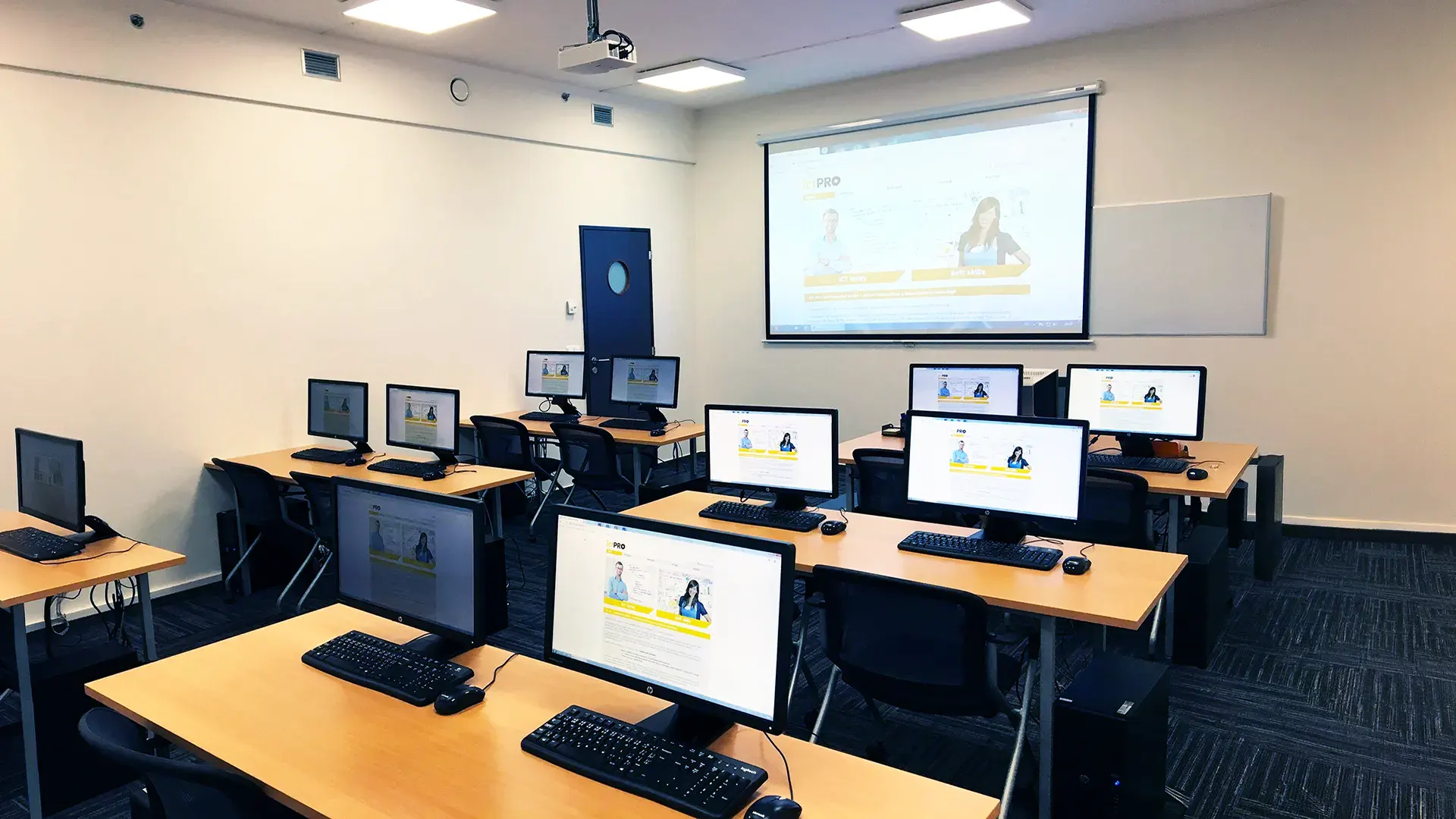 What does the environment for in-person IT courses look like?We hold training courses in our own classrooms equipped with modern computer equipment for each participant and a large projection screen. Each workstation is fitted with a powerful computer for seamless practical exercises, and the environment supports a calm, friendly atmosphere during training.
 Do I need to bring my own laptop to the classroom IT course?Our training rooms are fully equipped, so you do not need to bring your own laptop. A modern computer with all necessary hardware and software is ready for you at your workstation.
 Will you receive an official certificate after completing an IT course?Yes, upon successful completion of the training course, you will receive an official ICT Pro certificate confirming your participation and acquired technical skills. You can use it to verify your qualifications or add it to your professional profile.
 Where can you find our training center in Brno?The premises of the ICT Pro training center are located on the 1st floor of the COMGUARD building at Sochorova 38 in Brno. Positioned on the border of Žabovřesky and Komín, the location is easily accessible by both car and public transport.
 Where can you find our training center in Prague?The premises of the ICT Pro training center are located on the 1st floor of the Opatov Park building at Líbalova 1, Prague 11 – Chodov. The location provides a comfortable environment for your education with convenient access.
 What facilities and refreshments are available to you during training breaks?Our training centers feature a fully equipped kitchenette for a comfortable break during your courses. The facilities include a coffee machine, microwave, kettle, and a wide selection of drinks and snacks.
 What beverage refreshments are available during your course?A beverage station with a coffee machine, teas, syrups, and water is at your disposal throughout the entire training session. You can enjoy a coffee or another drink of your choice anytime during breaks.
 What light refreshments are provided for you during the courses?During course breaks, participants can enjoy light sweet snacks, pastries, and fruit syrups to mix their own drinks. Fresh water dispenser and plates are also available for your convenience.
 Should I bring my own snacks to ICT Pro training?There is no need to. A wide selection of savory snacks, sweet biscuits, and snack bars is available for you during breaks. Boost your energy for all-day focus right inside the training center premises.
 Can you spend training breaks in the fresh air?Yes, an outdoor terrace is available at our training center. During breaks between learning sessions, you can relax in the fresh air in a pleasant green environment.
 Where can you relax during course breaks?Our training center features a spacious outdoor terrace with seating options. During breaks between learning sessions, you can step outside to relax and recharge in the fresh air.