MS Excel – PivotTables Without Fear (MSE3)
Microsoft Office, Excel
This course introduces Excel's most powerful tool in a simple, practical, step-by-step approach. Discover how PivotTables create clear, visual data summaries for faster reporting without complex formulas and how AI assistance helps.
The training uses hands-on examples, exercises and practical tips to remove doubts and build confidence. You will practice data preparation, table creation, advanced data analysis and learn ways to avoid common PivotTable mistakes for reliable reports.
THIS TRAINING COURSE WILL HELP YOU:
- Structure data and automate report generation
- Analyze data more easily and draw conclusions
- Gain confidence creating summaries on your data
- Avoid common PivotTable mistakes
WHO SHOULD ATTEND?
- Excel users who want to learn PivotTables
- People who rely on PivotTables but cannot build them
- Accountants, managers, owners and analysts needing clear reports
COURSE LOCATION AND AVAILABLE DATES
Praha + online (optional)
Need this course in English?
Public courses are usually delivered in Czech, but this course is also available in English. We can arrange private training for your team online, at your premises or in our classrooms, and tailor the content to your needs.
For groups of around 4 or more participants, private training can already be comparable in price to booking individual places on a public course. Send us your requirements and we’ll recommend the best format and provide an exact quote.
Request training in English
Public course on a related topic
Course content:
Hide details
-
Introductory overview
-
What a PivotTable is and when to use it
-
Benefits of using PivotTables
-
Alternative data analysis methods
-
Automatic summaries and overviews
-
Pros and cons compared to PivotTables
-
Source data
-
Preparing data for analysis
-
Cleaning and adjusting data before creating a PivotTable
-
Common data problems and how to avoid them
-
Using external data as a PivotTable source
-
Creating a PivotTable
-
Structure and key concepts
-
Selecting data, adding fields and basic adjustments
-
Quick Analysis options and recommended layouts
-
Tips for working with the Field List
-
Working with data inside a PivotTable
-
Filtering, sorting and grouping options
-
Aggregation and summary calculation options
-
Value field display options — % shares, value differences
-
Conditional formatting
-
Calculated fields
-
Reports and charts from PivotTables
-
Visual presentation of summary data
-
Pivot Charts and formatting options
-
Dynamic updates and refreshing summary views
-
Prerequisites:
-
Basic user knowledge of MS Excel.
-
Recommended previous course:
-
MS Excel – Efficient data processing for advanced users (MSE2)
-
Recommended follow-up course:
-
MS Excel – Data transformation in Power Query, step by step (PWQ1)
-
Schedule:
-
1 day (9:00-17:00)
-
Price per person:
-
108.00 € ( 130.68 € incl. 21% VAT)
Selected customer reviews
Zebra Technologies CZ s.r.o., Klára D.
MS Excel – PivotTables Without Fear (
MSE3)
"The course was very helpful for me, the teacher was clear and explained. One of the best trainings I had. I feel more comfortable with excel now, all the content of training I will use in practice. Thank you!"
Zebra Technologies CZ s.r.o., Alessandra T.
MS Excel – PivotTables Without Fear (
MSE3)
"I have very much satisfied about this training. It responded completely to my expectations and I was very satisfied about the professionalism and KNOWLEDGE of the trainer. Everything was perfect and he could clarify to me many things in an easy and organized way. Thank you"
Zebra Technologies CZ s.r.o., Aneta K.
MS Excel – PivotTables Without Fear (
MSE3)
"It was very professional and really nice lesson. Thank you for it"
Zebra Technologies CZ s.r.o., Andrea C.
MS Excel – PivotTables Without Fear (
MSE3)
"very good course, very pleasant presenter, the only disadvantage was lack of time for practising"
Zebra Technologies CZ s.r.o., Šárka S.
MS Excel – PivotTables Without Fear (
MSE3)
"the lector was professional and provided information were very useful"
Training and learning environment
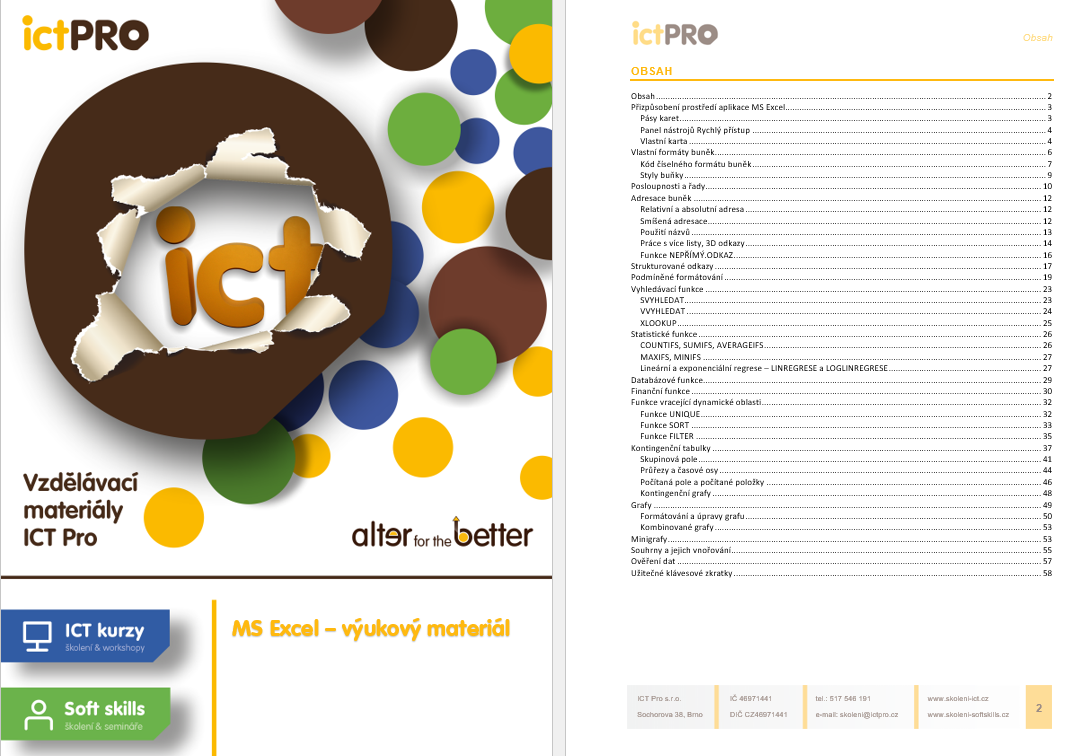 What materials will you receive for the MS Excel courses?With our courses, you’ll receive clearly organized instructional materials covering everything from cell addressing to pivot tables and charts. These materials will serve as a useful guide for your daily work.
 Which new Excel functions and tools can simplify your daily workflow?A cheat sheet with an overview of new modern Microsoft 365 functions, along with practical keyboard shortcuts and data work examples. Participants in MS Excel courses use it as a quick reference for solving common and advanced tasks during training.
 How can you learn to correctly use the XLOOKUP lookup function in Excel?This training material clearly explains the syntax and practical use of the XLOOKUP function for connecting data across tables. Course participants use these guidelines to practice entering arguments and searching for values in real-world scenarios.
 What does the environment for in-person IT courses look like?We hold training courses in our own classrooms equipped with modern computer equipment for each participant and a large projection screen. Each workstation is fitted with a powerful computer for seamless practical exercises, and the environment supports a calm, friendly atmosphere during training.
 Do I need to bring my own laptop to the classroom IT course?Our training rooms are fully equipped, so you do not need to bring your own laptop. A modern computer with all necessary hardware and software is ready for you at your workstation.
 Will you receive an official certificate after completing an IT course?Yes, upon successful completion of the training course, you will receive an official ICT Pro certificate confirming your participation and acquired technical skills. You can use it to verify your qualifications or add it to your professional profile.
 Where can you find our training center in Brno?The premises of the ICT Pro training center are located on the 1st floor of the COMGUARD building at Sochorova 38 in Brno. Positioned on the border of Žabovřesky and Komín, the location is easily accessible by both car and public transport.
 Where can you find our training center in Prague?The premises of the ICT Pro training center are located on the 1st floor of the Opatov Park building at Líbalova 1, Prague 11 – Chodov. The location provides a comfortable environment for your education with convenient access.
 What facilities and refreshments are available to you during training breaks?Our training centers feature a fully equipped kitchenette for a comfortable break during your courses. The facilities include a coffee machine, microwave, kettle, and a wide selection of drinks and snacks.
 What beverage refreshments are available during your course?A beverage station with a coffee machine, teas, syrups, and water is at your disposal throughout the entire training session. You can enjoy a coffee or another drink of your choice anytime during breaks.
 What light refreshments are provided for you during the courses?During course breaks, participants can enjoy light sweet snacks, pastries, and fruit syrups to mix their own drinks. Fresh water dispenser and plates are also available for your convenience.
 Should I bring my own snacks to ICT Pro training?There is no need to. A wide selection of savory snacks, sweet biscuits, and snack bars is available for you during breaks. Boost your energy for all-day focus right inside the training center premises.
 Can you spend training breaks in the fresh air?Yes, an outdoor terrace is available at our training center. During breaks between learning sessions, you can relax in the fresh air in a pleasant green environment.
 Where can you relax during course breaks?Our training center features a spacious outdoor terrace with seating options. During breaks between learning sessions, you can step outside to relax and recharge in the fresh air.